Your SEO work probably lives in five places right now. A few notes in Google Docs. A half-finished audit in Screaming Frog. Keywords dumped into a spreadsheet. A plugin nagging you about metadata. Maybe a freelancer telling you to “build backlinks” without saying which pages matter first.
That's where most small businesses get stuck.
The problem usually isn't effort. It's sequence. You can spend weeks “doing SEO” and still have no clear path to more leads, more booked calls, or more sales. That's why a real SEO roadmap template matters. Not as a prettier to-do list, but as a way to decide what deserves your limited time, what can wait, and what should be ignored for now.
If you're building your first serious plan without an agency, you need a roadmap that acts like an operating system. It should connect business goals to SEO actions, assign ownership, force prioritization, and leave room for changes when search shifts again.
Table of Contents
- From SEO Chaos to a Clear Action Plan
- The Anatomy of a High-Impact SEO Roadmap
- Setting Objectives and Prioritizing Your First 90 Days
- Building Your Core SEO Workstreams
- Real-World SEO Roadmap Examples
- Your Roadmap Is a Living Document for an Evolving Web
From SEO Chaos to a Clear Action Plan
Monday morning, you open your SEO notes and see 47 ideas. Update title tags. Write three blog posts. Fix Core Web Vitals. Build citations. Ask for backlinks. Refresh old pages. Somewhere in that pile are a few actions that could bring in leads. The rest can wait, but without a plan, they all feel urgent.
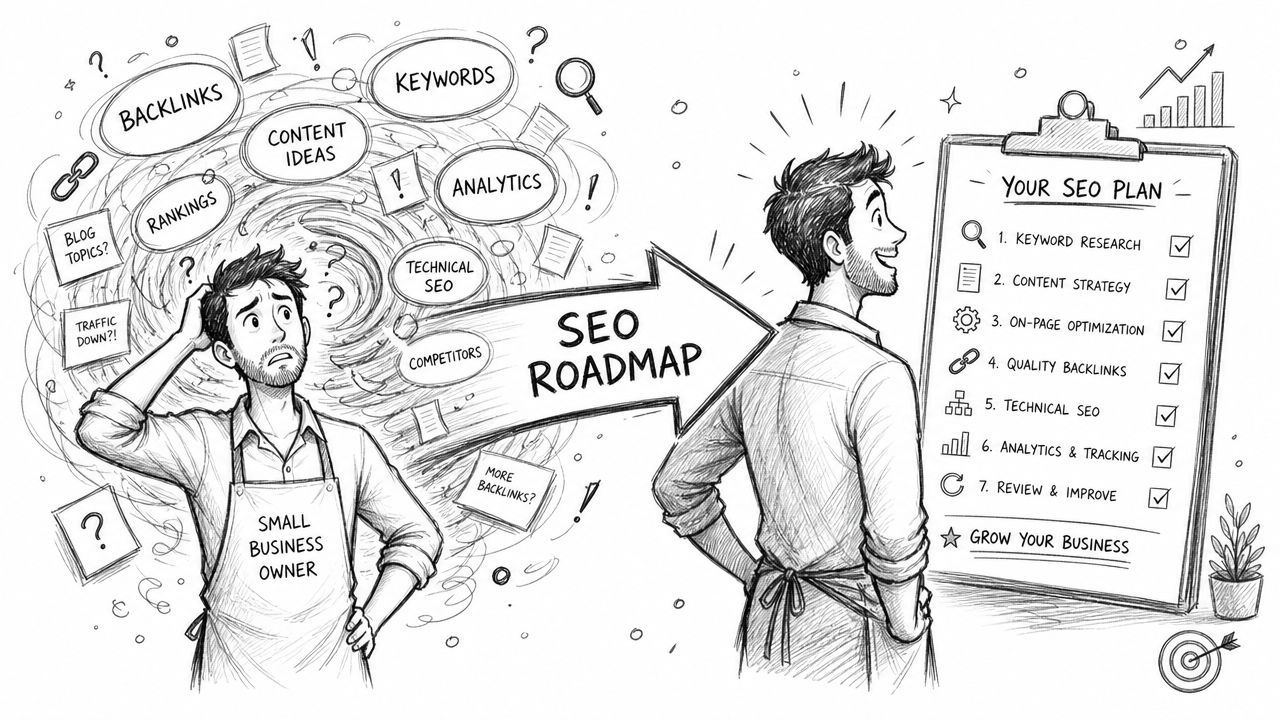
That is the core SEO problem for a small business. It is rarely a lack of ideas. It is a lack of prioritization. A roadmap solves that by turning SEO from a pile of tasks into a resource-allocation tool. It helps you decide what earns time this month, what gets scheduled later, and what does not deserve attention yet.
For a team with limited budget and limited hours, that matters more than having a long checklist. I have seen small businesses lose months on activity that looked productive but had no path to revenue. Publishing top-of-funnel articles before the main service pages are clear. Obsessing over minor on-page tweaks while key pages are not indexed. Starting outreach before the site has anything worth linking to. The roadmap prevents that kind of drift.
What changes when you use a real roadmap
Work gets tied to constraints. You assign an owner, set a deadline, estimate effort, and write down the business reason. That last piece is where DIY SEO usually breaks. Business owners often know the ingredients of SEO. The hard part is choosing the right sequence for the team, budget, and sales goal in front of them.
Practical rule: If a task does not have an owner, a due date, and a reason it matters to revenue, it is not part of a roadmap. It is just a note.
A useful roadmap also creates permission to defer work. That matters even more now that AI search is changing how people discover businesses. You do not need to react to every new SEO trend. You need pages that clearly explain what you sell, strong site architecture, evidence of trust, and a publishing plan you can maintain. The roadmap keeps you focused on assets that compound instead of busywork that expires.
What an effective roadmap tells you not to do
Generic templates usually fail here. They tell you what SEO includes, but they do not help you make hard calls.
For example:
- Do not chase broad blog topics if your service pages barely explain what you sell.
- Do not spend weeks polishing minor metadata if Google cannot properly crawl or understand your core pages.
- Do not start link outreach before your most important landing pages deserve links.
- Do not build twenty content ideas at once if your real publishing capacity is two strong pieces a month.
A strong SEO roadmap gives a small business owner a working answer to one expensive question: given our limits, what should we do first?
The Anatomy of a High-Impact SEO Roadmap
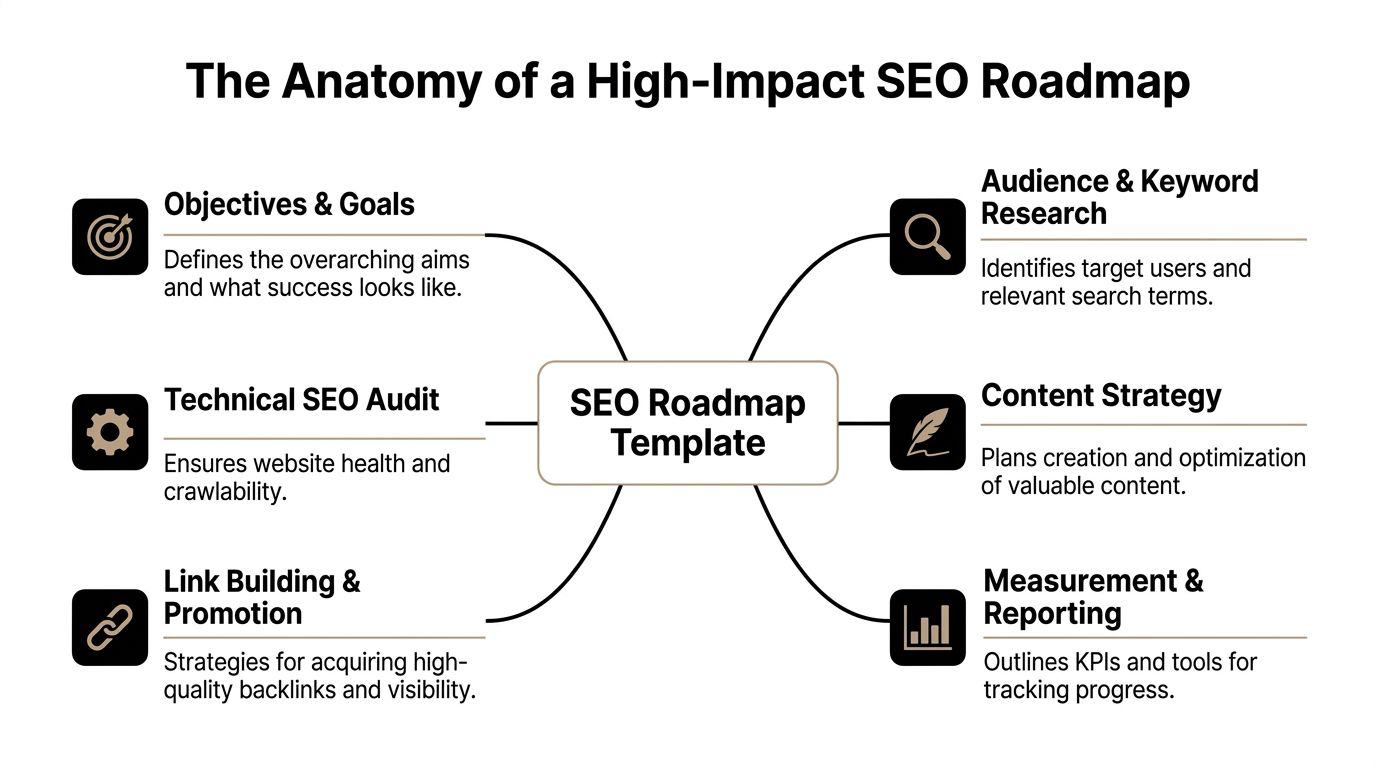
Most roadmap templates look fine until you try to run a quarter of work through them. Then you realize they're missing the fields that help you choose between competing priorities. A strong template needs both strategic pillars and decision columns.
What the roadmap must contain
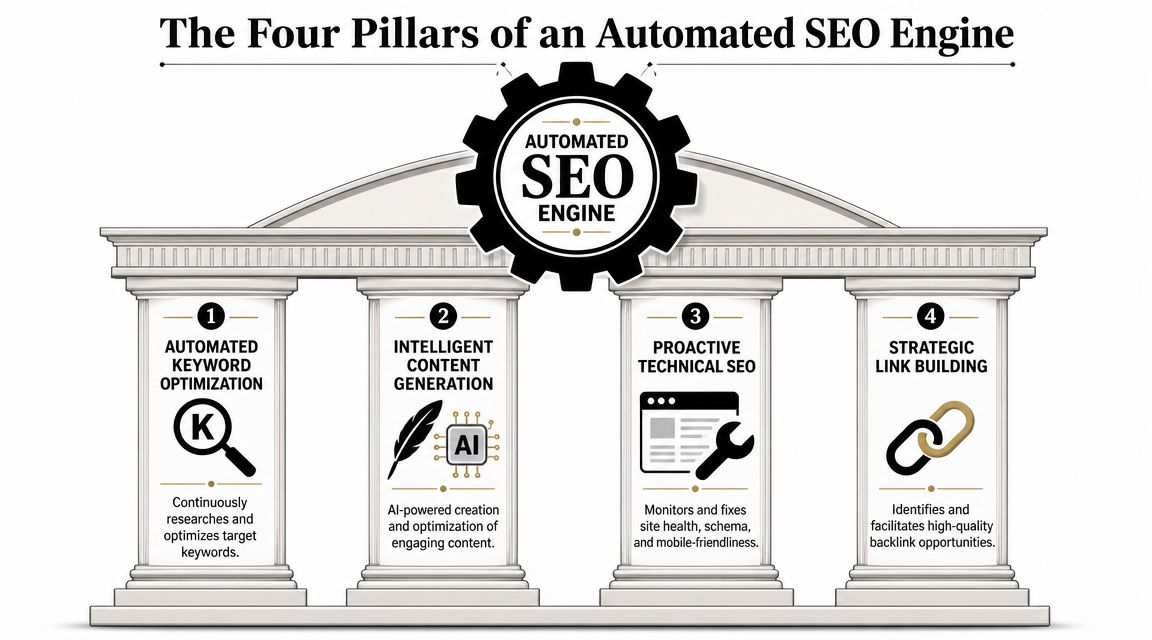
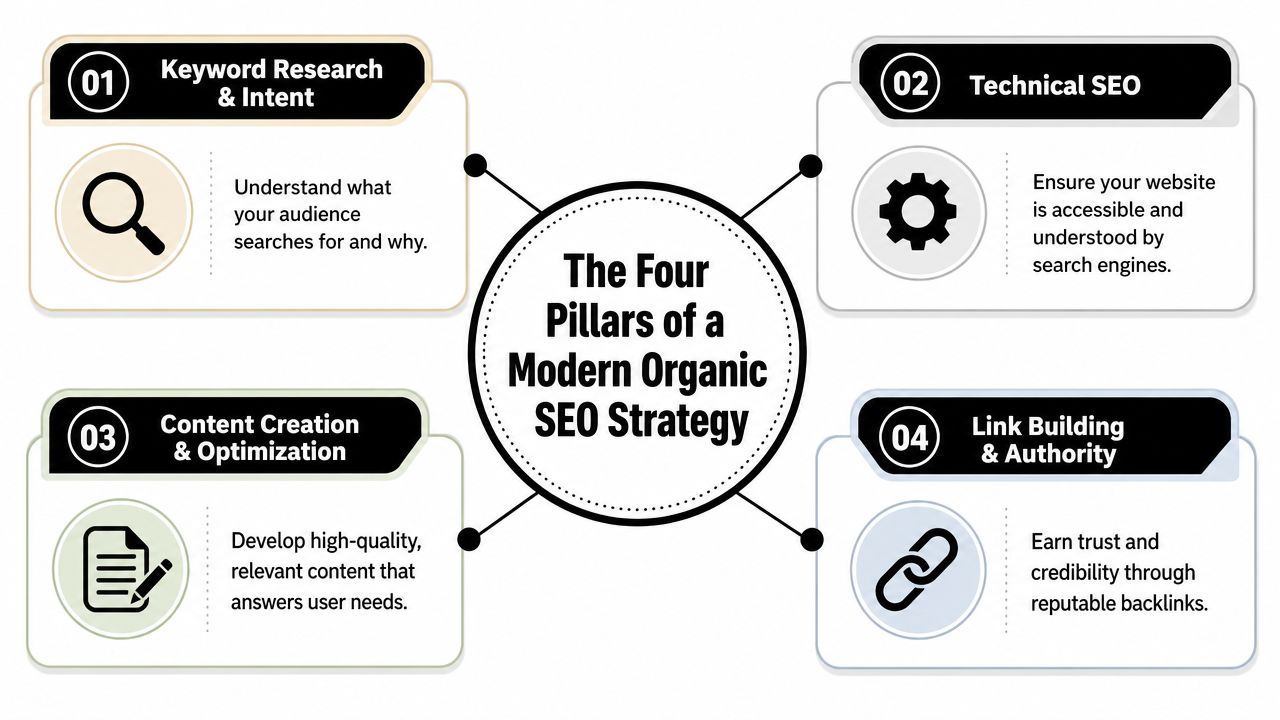
I like to organize a small-business roadmap into four working pillars. It keeps the plan focused without turning it into enterprise theater.
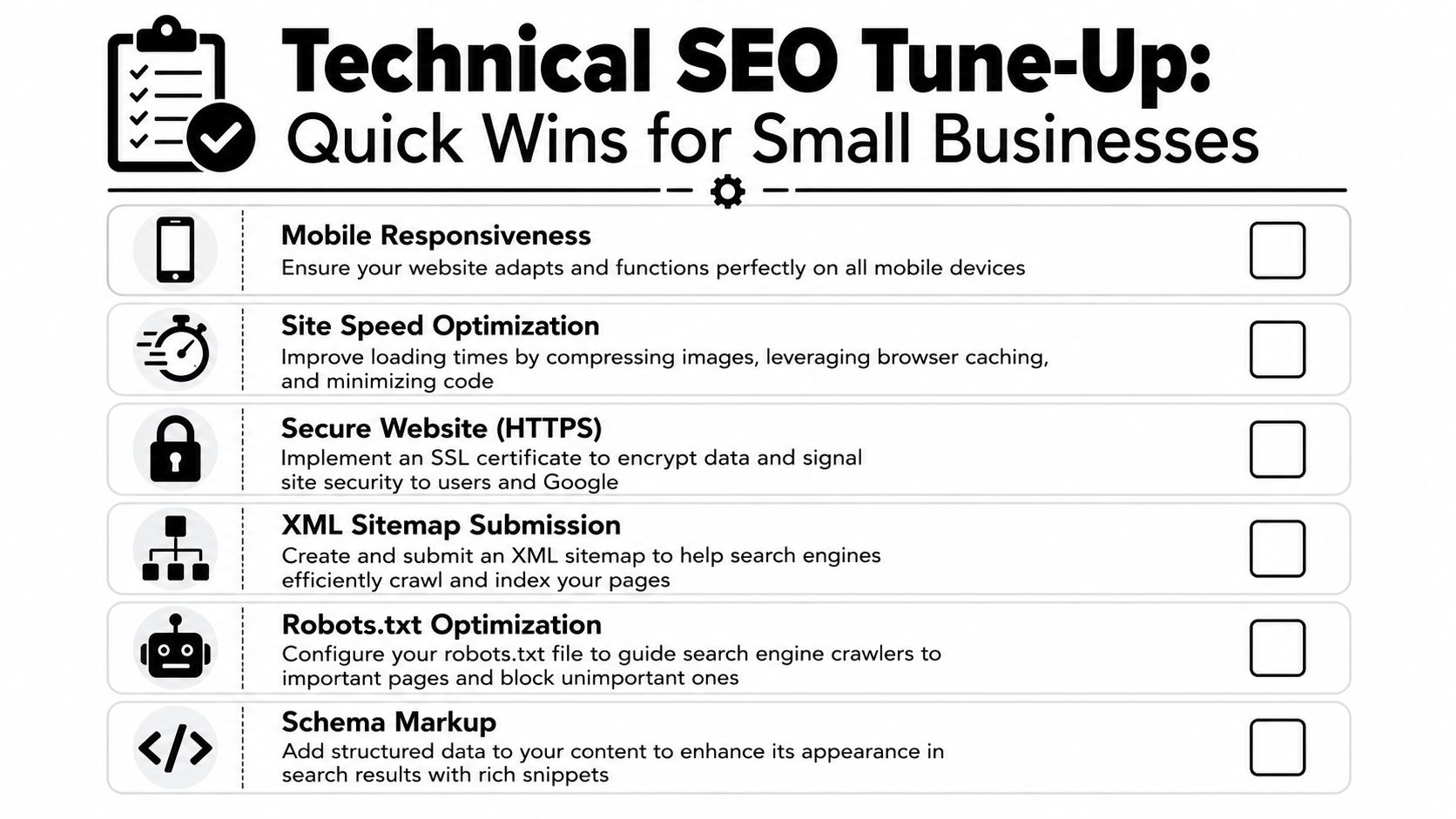
Technical foundations
This covers crawlability, indexing, mobile usability, speed issues, redirects, broken pages, and structured data basics. If search engines or users hit friction here, everything else works harder for less return.Content engine
This is the system for service pages, category pages, pillar pages, support articles, and internal linking. It's where keyword research becomes publishable assets.Authority building
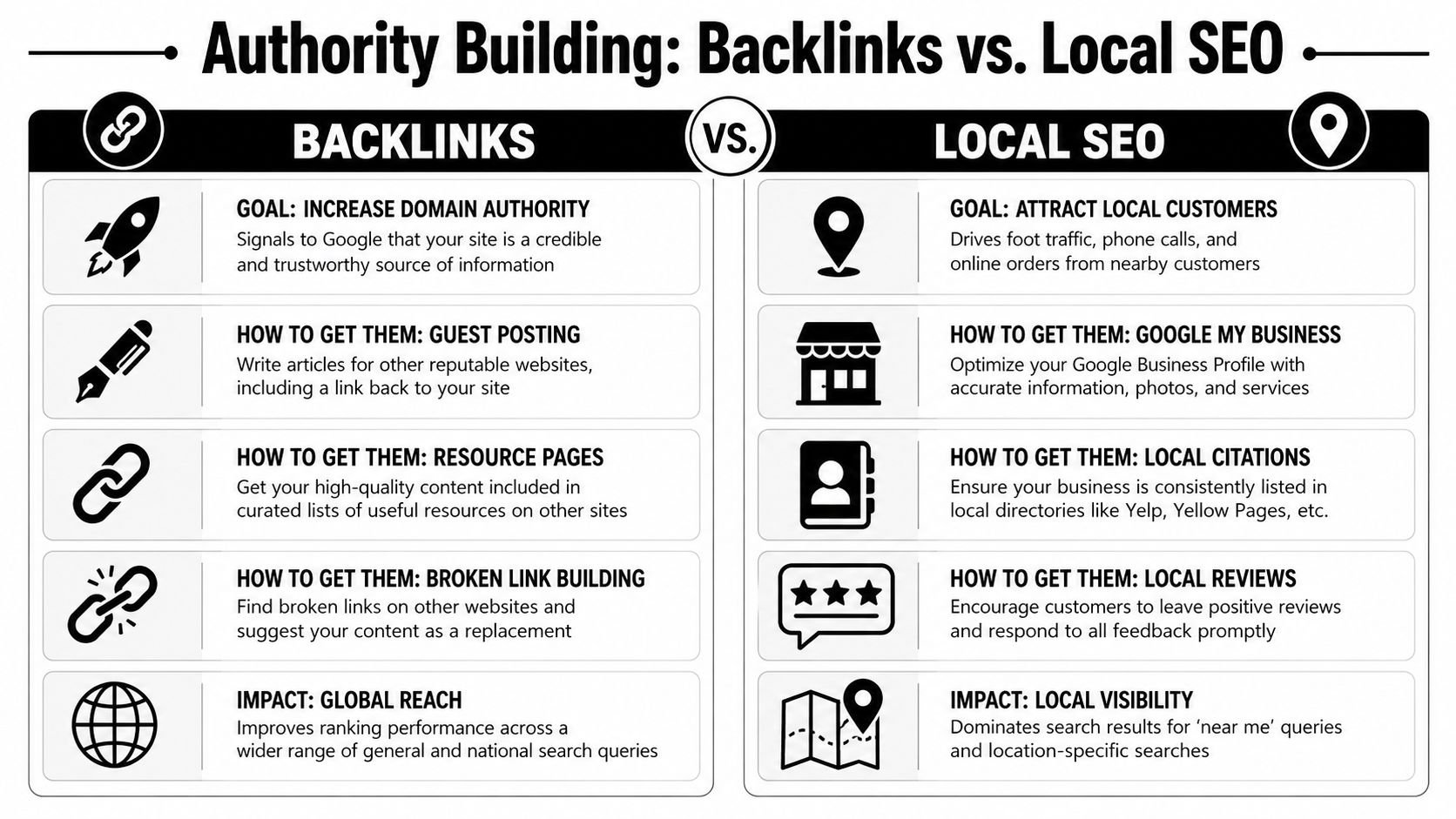
This includes backlinks, digital PR, local mentions, and broader entity signals. Small businesses often overestimate how much of this they need early on, but they still need a plan for it.Measurement and reporting
Measurement and reporting involves tracking whether work is producing movement in the KPIs that matter. It also keeps the roadmap from drifting into busywork.
A roadmap should behave like an operating document. If you can't scan it and see the business opportunity, level of effort, and likely impact of each initiative, it won't guide real decisions.
That idea matches a stronger planning approach from The Gray Company's roadmap framework, which recommends capturing the action item, business opportunity, priority, level of effort, scope, goal alignment, status, and estimated SEO impact before ranking work against available resources.
The spreadsheet fields that make decisions easier
You don't need fancy software to make this work. A Google Sheet, Airtable base, or ClickUp board is enough. The key is using fields that force clarity.
Here's a simple structure.
| Task/Initiative | Pillar (Content, Tech, Links) | Impact (1-5) | Effort (1-5) | Priority Score (Impact/Effort) | Target KPI | Status |
|---|---|---|---|---|---|---|
| Rewrite top service page | Content | 5 | 2 | 2.5 | Leads from organic | Not started |
| Fix noindex on key pages | Tech | 5 | 1 | 5 | Indexed core pages | In progress |
| Build partner outreach list | Links | 3 | 2 | 1.5 | Referring domains | Planned |
Each field does a specific job:
- Task or initiative keeps the item concrete.
- Pillar stops the roadmap from leaning too heavily toward one kind of work.
- Impact forces you to estimate upside.
- Effort protects your calendar.
- Priority score gives you a simple way to sort.
- Target KPI ties the task to a business result.
- Status keeps execution visible.
A stronger SEO roadmap template can add more columns later, such as owner, deadline, dependency, or notes. But this core version is enough to start making better choices today.
Setting Objectives and Prioritizing Your First 90 Days
A small business usually hits the same wall in month one of SEO. The owner has a long list of fixes, a writer wants topics, a developer has limited hours, and every task sounds important. Without a clear order of operations, the quarter disappears into low-impact work.
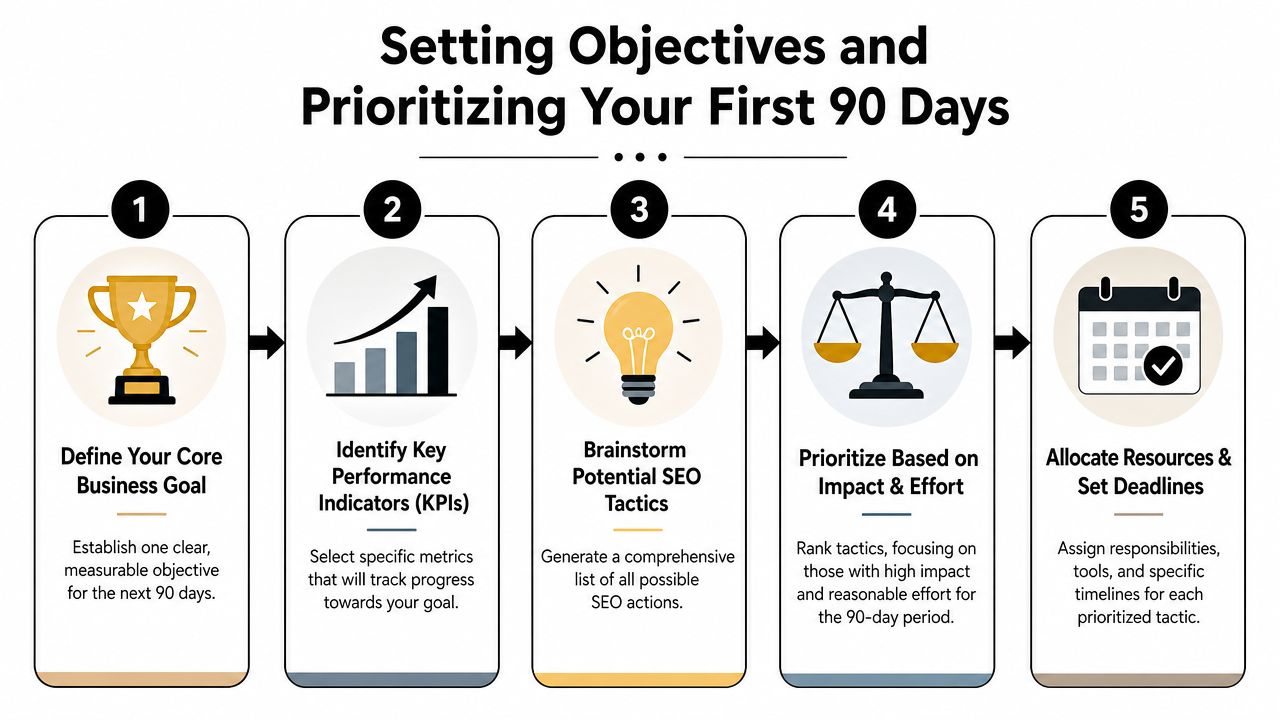
The first 90 days need to function as a resource-allocation plan, not a wish list. Keep a 12-month direction in view, but make quarterly decisions based on what you can ship with your current team, budget, and sales goals. That discipline matters even more now that AI search can reduce clicks on broad informational queries. For many small businesses, the safer bet is to prioritize pages and topics that influence leads, calls, and sales directly.
Start with one business goal
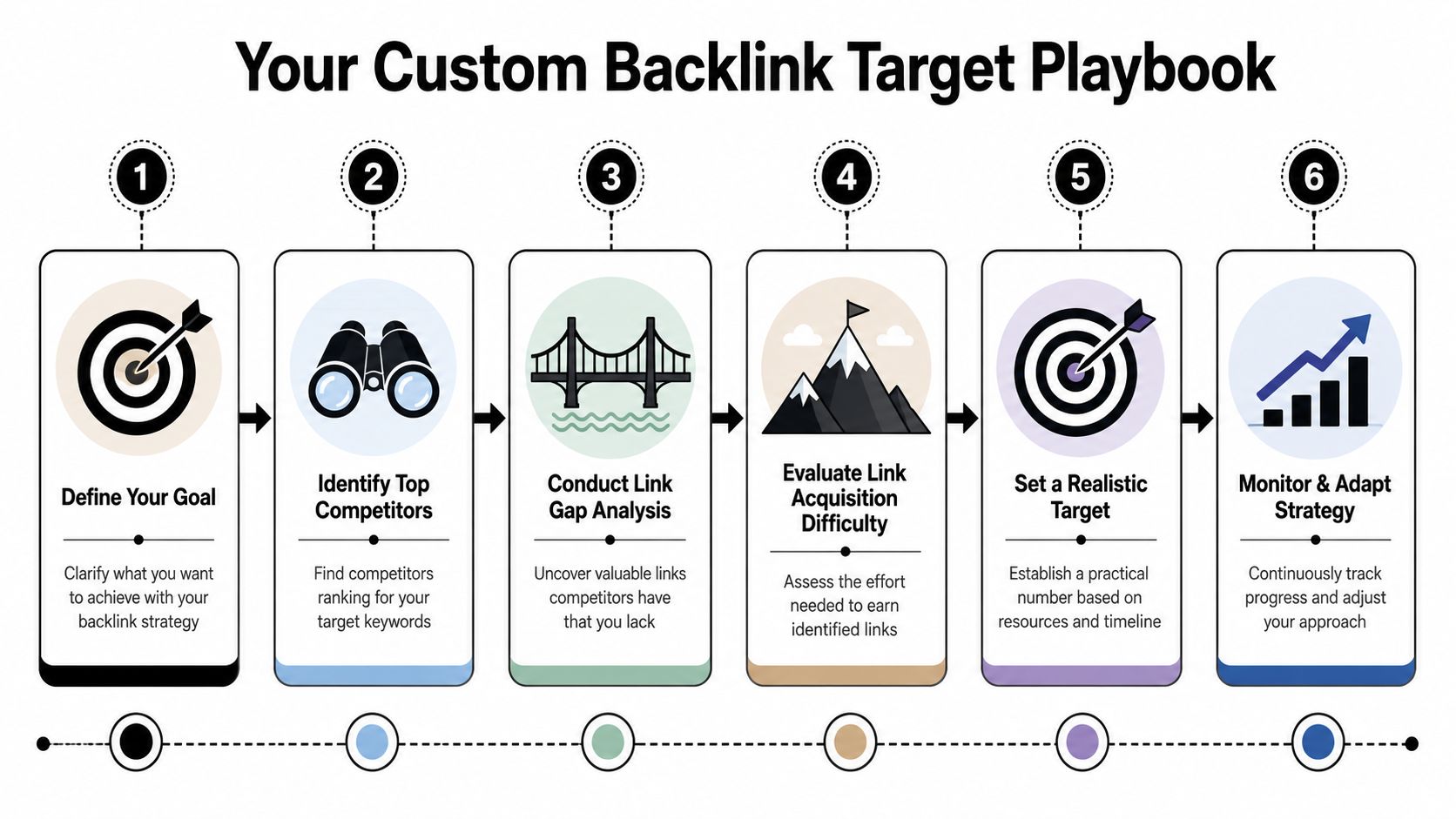
Choose one outcome for the quarter. A good objective ties organic search to revenue or pipeline, not vanity metrics.
Strong first-quarter goals include:
- Generate more leads from service pages
- Increase sales from product category pages
- Grow booked consultations from high-intent searches
- Improve visibility for one core service in one target market
That choice should make trade-offs easier. If booked calls are the goal, service pages, local landing pages, and conversion points deserve attention before broad blog content. If ecommerce revenue is the goal, category pages, product filters, internal linking, and merchant feed issues may matter more than publishing three new articles.
Pick a small set of KPIs that help you decide what to do next. Good examples include organic form submissions, calls from local pages, demo requests, revenue from organic landing pages, or non-brand clicks to a priority service page. If a metric will not change next month's priorities, it does not belong at the center of the roadmap.
For a practical walkthrough of this 90-day planning process, the video below breaks down each step.
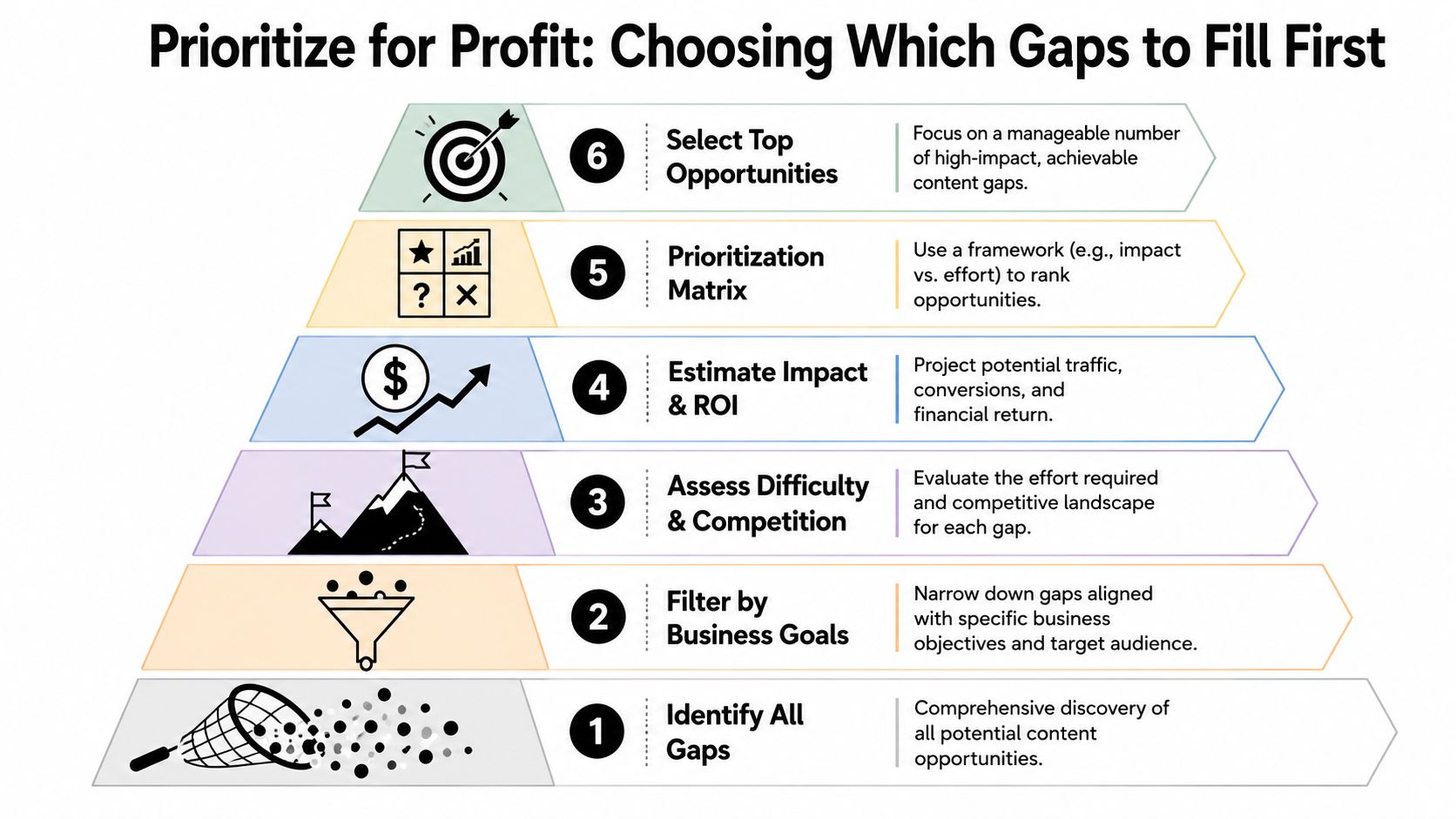
Use impact versus effort to make hard calls
Once the goal is clear, build a raw backlog of SEO initiatives. Get the ideas out of email, Slack, and your head, then score them against reality.
Common first-quarter items include:
- Content work such as rewriting thin service pages, improving category copy, or creating a tightly scoped support article
- Technical fixes such as repairing crawl problems, resolving duplicate pages, improving mobile usability, or adding structured data
- Authority tasks such as reclaiming unlinked mentions, improving local profiles, asking partners for links, or running focused outreach
Then score each item on two factors:
Impact
How likely is this task to improve qualified traffic, conversions, or visibility on pages tied to revenue?Effort
How difficult is it for your actual business to complete, given your people, tools, approvals, and available time?
I usually tell small business owners to be brutally honest on effort. A task that looks simple to an agency can become a six-week delay if it needs developer support, legal review, and new copy. The best 90-day plans favor work that reaches a money page fast and can be completed without heroic coordination.
That often puts these items near the top:
- Fixing indexation issues on pages with buying intent
- Rewriting title tags, headings, and copy on core service or category pages
- Adding internal links from existing content to commercial pages
- Publishing one strong pillar asset with a few support pieces, instead of trying to fill an entire editorial calendar
Put your reporting on a rhythm
A roadmap loses value when nobody revisits it until the quarter ends.
Use a simple review cadence:
- Weekly check-ins for shipped tasks, blockers, and new issues
- Monthly reviews for KPI movement and priority changes
- Quarterly reviews for bigger shifts in strategy, budget, and team capacity
At this point, many first-time SEO plans break down. The problem is rarely the template itself. The problem is treating the roadmap like a static document instead of a live set of choices. If AI Overviews start reducing clicks to one content cluster, or a service page begins driving qualified leads after a rewrite, the roadmap should reflect that quickly.
A useful SEO roadmap template helps you choose what to do, what to delay, and what to drop. That is how a small business gets traction in the first quarter without wasting time on busywork.
Building Your Core SEO Workstreams
A good roadmap stops being useful if each workstream is just a label. "Content," "technical SEO," and "link building" do not help a small business decide what gets done this week, what waits until next month, and what is not worth touching yet. Each workstream needs a clear job, an owner, a level of effort, and a direct tie to leads or sales.
For a lean team, I usually set up three workstreams: content that helps money pages rank and convert, technical fixes that remove friction, and authority work that supports pages already worth promoting. That structure keeps the plan focused on resource allocation, not activity for its own sake.
Content engine
Content work should earn its place on the roadmap. If a service page, collection page, or product category is thin, unclear, or missing the terms buyers use, fix that before adding another blog post.
Small businesses get more from a tight content system than a large publishing calendar. One strong commercial page update can beat five low-intent articles that never influence revenue. One useful topic hub can create support content for months without forcing the team to start from scratch every week.
A practical content workstream looks like this:
- Upgrade priority commercial pages with clearer search intent targeting, stronger headings, better copy, and sharper calls to action
- Create one primary topic asset that supports a core offer and gives you something worth linking to
- Publish supporting articles only if they answer real pre-sale questions and can pass internal link value back to a service or category page
- Add internal links on purpose from existing traffic pages to revenue pages
- Refresh aging content that already has impressions or rankings before creating net-new pieces
Keep the scope tight. A "content sprint" should name the URL, target query, business goal, owner, and publish or update date. If the task says only "write blog post," it is too vague to prioritize properly.
AI search changes the bar here. Informational content that only repeats basic advice is easier to replace in search results. Pages that combine first-hand experience, product detail, local context, pricing guidance, comparison points, or service-specific proof are harder to ignore. That is where a small business can still win.
Technical foundation
Technical SEO deserves time only when it clears a real blockage. A clean audit spreadsheet does not create revenue by itself. The roadmap should separate issues that stop important pages from performing from issues that are mostly cosmetic.
Start with the pages that matter most to the business. If those pages are hard to crawl, slow on mobile, broken by redirect chains, or missing basic markup, fix that first. Leave low-impact cleanup for later unless it can be bundled into work already planned by your developer.
Use this filter for every technical task: does it help a priority page get indexed, load better, rank better, or convert better?
A focused technical workstream usually includes:
- Resolve crawl or indexation problems on service, product, or location pages
- Improve mobile page experience where it affects form fills, calls, or checkout behavior
- Fix broken internal links, redirect loops, and duplicate page versions that waste crawl attention or confuse users
- Add or validate structured data on pages where it supports search understanding
- Group larger development requests into planned sprints instead of scattering them across the quarter
Trade-offs matter. A template bug affecting every title tag may deserve immediate attention. A minor page speed gain on low-value blog posts probably does not. Small teams do better when they treat technical SEO as a support function for revenue pages, not a separate perfection project.
Authority building
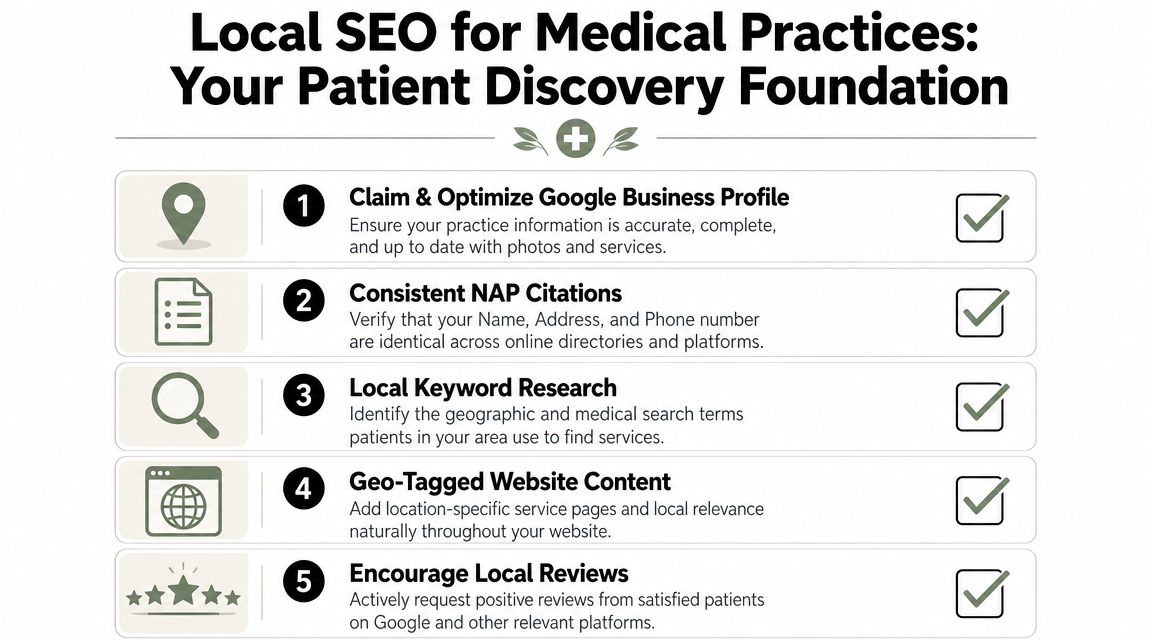
Authority work should match the business model and the team's actual capacity. A local contractor, med spa, or accounting firm rarely needs a large digital PR program in month one. They usually need cleaner citations, stronger business profiles, better review support, and links from organizations they already know.
For a local or service business, start with reachable wins:
- Claim or clean up important listings and profiles
- Request links from suppliers, trade groups, chambers, and referral partners
- Turn offline relationships into online mentions
- Recover unlinked brand mentions where someone already referenced the business
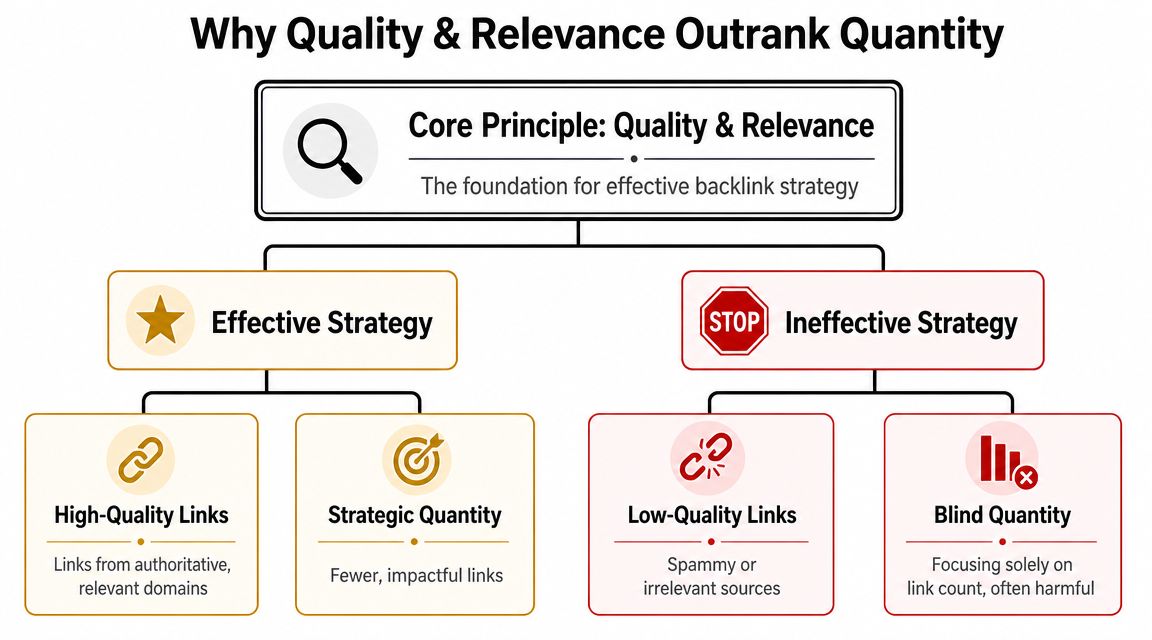
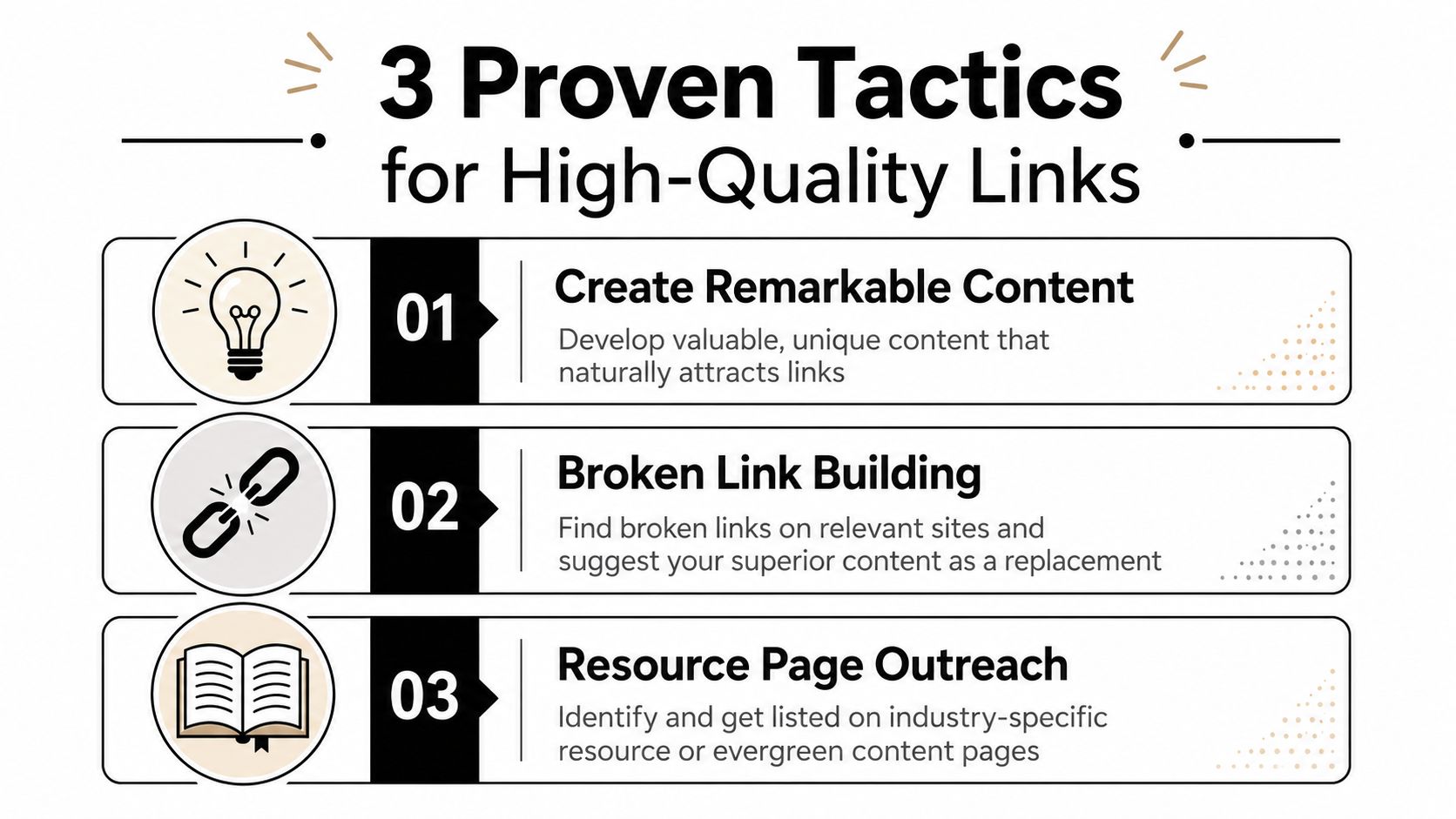
For e-commerce and B2B companies, authority work often needs stronger assets behind it. Comparison pages, buying guides, original examples, implementation checklists, and glossary pages give other sites a reason to link. Generic outreach to weak guest post sites usually adds little and eats time a small team does not have.
The rule is simple. Promote pages that deserve visibility already. If the landing page is thin, confusing, or weak on conversion, fix the asset before spending hours trying to get links to it.
A useful roadmap turns authority building into a prioritization decision, not a standing monthly chore. If the team only has five hours this month, spend them on the highest-probability links to the highest-value page. That discipline matters more than the size of the outreach list.
Real-World SEO Roadmap Examples
The value of an SEO roadmap template shows up when two businesses with the same checklist make completely different decisions. That's what small operators need to see. The right plan depends on business model, sales cycle, and constraints.
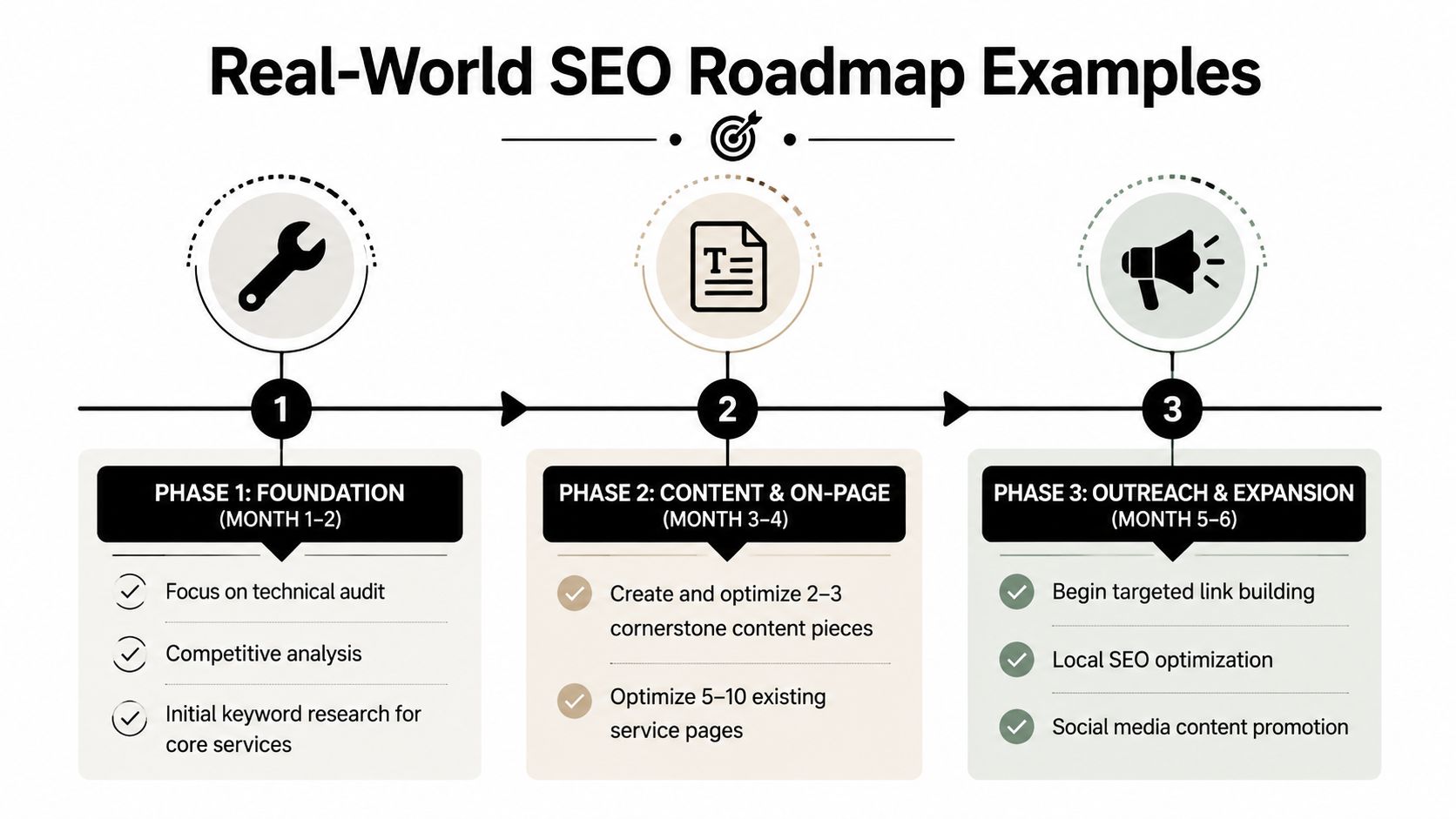
Most generic templates miss this. They tell you what belongs on the list, but not what gets delayed when time, staff, or cash are tight. That gap is exactly why a smaller team needs the roadmap to act as a resource-allocation tool, as highlighted in ClickUp's discussion of SEO roadmap templates.
Local service business
A plumbing company doesn't need a giant blog machine first. It needs stronger local intent coverage and cleaner service pages.
Their first three months might look like this:
- Month one focuses on fixing service page titles, rewriting thin location pages, cleaning up Google Business Profile details, and tightening internal links.
- Month two adds FAQ content for urgent service queries, improves mobile UX, and builds out structured local information across core pages.
- Month three starts authority work through local directories, supplier relationships, chamber listings, and review-support workflows.
What gets deferred? Broad educational content with weak buying intent. Fancy link campaigns. Deep technical edge cases.
The best roadmap for a local business usually makes the shortest path from search to phone call easier.
E-commerce store
A handmade goods store has a different problem set. Category pages, collection structure, filters, and product discoverability matter more than publishing endless blog content.
A practical opening roadmap might prioritize:
| Focus area | First moves | Work left for later |
|---|---|---|
| Site structure | Clean category hierarchy, improve internal links, remove index bloat risks | Large-scale content expansion |
| Commercial pages | Rewrite category copy, sharpen metadata, improve image and product context | Broad top-of-funnel publishing |
| Authority | Reach out to creators, niche gift guides, and relevant communities | General guest posting |
This business may still need content, but not in the generic “write blogs for traffic” sense. Better assets might be gift guides, comparison pages, seasonal collection hubs, and evergreen care guides that support product discovery.
B2B consulting firm
A consulting firm often has long sales cycles and high-value leads. That changes the roadmap again. Here, authority and trust matter more than volume.
The first quarter often works best when it includes:
- Rebuilding service pages around actual buyer problems
- Publishing one strong thought-leadership pillar tied to a core service
- Adding supporting articles that answer comparison, process, and implementation questions
- Improving author credibility signals and clearer conversion paths
- Starting selective outreach to podcasts, industry sites, and partner ecosystems
This type of business usually should not chase a large keyword footprint right away. It needs a tighter set of pages that show expertise and support sales conversations.
Each of these examples uses the same SEO roadmap template. The difference is prioritization. That's the whole game.
Your Roadmap Is a Living Document for an Evolving Web
An SEO roadmap that isn't reviewed regularly becomes a stale spreadsheet. Search changes. Your offers change. Competitors change. The roadmap only stays useful if you treat it as a working document and revisit it on a steady rhythm.
That matters even more now because search behavior isn't as simple as rankings and clicks anymore. Some current roadmap advice still underplays how much AI search is changing discovery. As noted in The Stacc's analysis of SEO roadmap templates, many templates still fail to account for AI search volatility, even as Gartner has projected significant declines in traditional search volume. A modern roadmap needs room for zero-click results, entity optimization, and content shaped for AI citation.
So keep the document flexible.
Review technical issues and task progress monthly. Re-rank your backlog quarterly. Watch whether your best pages are still the right pages. Test whether your content is structured clearly enough to be summarized, cited, or surfaced outside classic blue-link results. If not, adapt.
The businesses that get value from an SEO roadmap template aren't the ones with the prettiest spreadsheet. They're the ones that use it to make better choices every month, with less guesswork and more discipline.
If you want the agency-free version of this playbook, Agency Secrets is built for exactly that. It helps small business owners turn SEO into a practical growth system instead of a vague marketing project, with clear execution guidance and tools that make keyword research, publishing, and backlink growth far easier to manage.