Most advice on how to check backlinks in google analytics is wrong in one important way. It tells you to open GA4, look at referral traffic, and call that your backlink list.
That isn't a backlink list. It's a traffic report.
That difference matters because a backlink can exist without ever appearing in Google Analytics. If nobody clicked it, if tracking failed, or if the visit wasn't recorded, GA4 won't show it. So if you rely on Analytics alone, you'll miss links that are real but silent, and you'll overvalue links that send visits but lead nowhere.
Small business owners don't need more vague SEO advice. They need a clean workflow that answers two different questions. First, what links point to my site. Second, which of those links send useful traffic. Google Search Console helps with the first. GA4 helps with the second.
Table of Contents
- Why Google Analytics Can't Show You All Your Backlinks
- Finding Your Top Traffic-Driving Links in GA4
- Using Google Search Console for a Complete Backlink List
- Troubleshooting Common Referral Data Issues
- A Practical Workflow for Backlink Analysis and Reporting
Why Google Analytics Can't Show You All Your Backlinks
A lot of articles get this wrong from the start. GA4 is useful for judging which links send visitors. It is not a place to inventory every site that links to you.
That limitation comes from how Analytics works. GA4 records sessions and events on your site after someone arrives and tracking fires. If a page links to you but nobody clicks, if the click strips referral data, or if tracking never loads, GA4 has nothing to show.
This is the distinction that matters for the rest of the article: a backlink is the link that exists on another site, while referral traffic is the visit that happens after someone clicks it and GA4 captures the session. Related, yes. Interchangeable, no.
That difference changes the question you can answer.
GA4 helps with performance questions such as which referring domains send engaged visitors, conversions, or repeated traffic. Google Search Console helps with discovery questions such as which domains and pages link to your site, including links that have not produced any measurable visit yet.
The right tool depends on the question you're asking:
| Question you want answered | Best tool |
|---|---|
| Which external sites sent measurable sessions | GA4 |
| Which pages and domains link to my site | Google Search Console |
| Which linked pages brought engaged visitors | GA4 |
| Which links exist even without clicks | Google Search Console |
Small business owners run into this constantly. They expect to see a partner site in GA4 referrals, do not find it, and assume the link is gone. In practice, several other explanations are common. The link may be live but rarely clicked. The click may open in an app or secure environment that obscures referral details. The landing page may also fail to load GA4 correctly.
So a backlink check done only in Analytics will miss part of the picture. GA4 still matters because it shows business impact. Search Console fills in the missing link inventory. Using both gives you the full view: what exists, and what drives traffic.
Finding Your Top Traffic-Driving Links in GA4
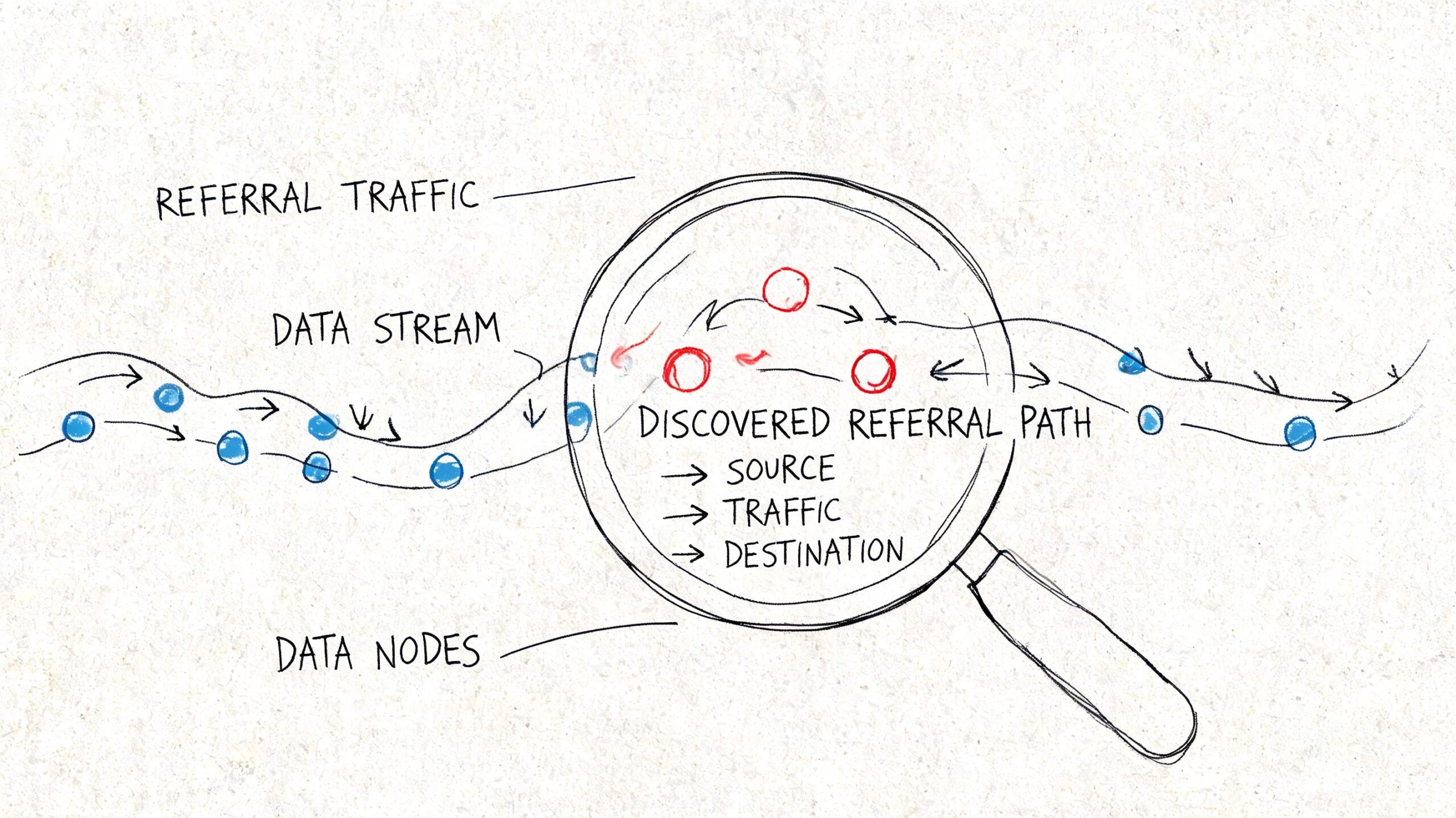
GA4 is useful here, but only if you ask it the right question. This report does not show every backlink pointing at your site. It shows the links that produced a measurable referral visit, which is a narrower and more business-focused view.
Open the right GA4 report
Go to:
- Reports
- Acquisition
- Traffic acquisition
Start by isolating Referral traffic. The default view mixes referral visits with Direct, Organic Search, and the rest of your acquisition channels, which makes link analysis harder than it needs to be.
Once the table is filtered to referrals, GA4 becomes much more useful for answering a practical question: which external sites are sending visitors who engage with the site?
Change the dimension so the data becomes useful
The default dimension is usually too broad for this job. Switch the primary dimension to Session source / medium.
That changes the table from a channel summary into a list of referring sources. You can quickly spot which domains are sending visits, then compare those sources using traffic and engagement metrics instead of relying on raw volume.
A referral source with modest traffic can still be one of your best links if those visitors read, browse, and convert.
Here's how to read the main columns:
- Users shows how many people arrived from that source.
- Sessions shows visit volume.
- Engaged sessions helps identify sources sending visitors who stay active on the site.
- Average engagement time gives a quick read on visit quality.
- Conversions shows whether that source contributed to leads, sales, or another key action.
Beyond session counts, the quality of the visit reveals the true value of the link. In practice, I often see a niche industry blog send fewer visits than a large directory, yet produce far better conversion rates because the audience is a tighter match.
After you've set up the main report, this walkthrough can help if you want to see the interface in action:
Add landing page context
A referring domain is only half the story. You also need to know which page received the click.
One option is to keep Session source / medium as the primary view and add landing-page detail. Another is to start from a landing page report and filter for referral traffic. Both approaches work. The better choice depends on the question you are trying to answer. Source-first is better for evaluating partner sites, publishers, and directories. Landing-page-first is better for finding pages that already attract off-site mentions and could convert better with a stronger call to action.
Add landing page context
Use a secondary dimension such as Landing page + query string. If you want a walkthrough of the GA4 setup, this GA4 reporting walkthrough shows the process clearly.
This view helps answer the questions that matter during a real review:
- Which blog posts attract referral clicks
- Which service pages get mentioned on other sites
- Which referral sources send traffic to pages with weak conversion performance
- Which linked pages deserve updates because they already attract outside attention
GA4 makes backlink data actionable. Instead of treating backlinks as a vanity metric, you can identify the pages already earning clicks from other websites and improve the pages that receive that traffic. For a small business, that usually means tightening the offer, improving the page layout, and making sure the next step is obvious.
Using Google Search Console for a Complete Backlink List
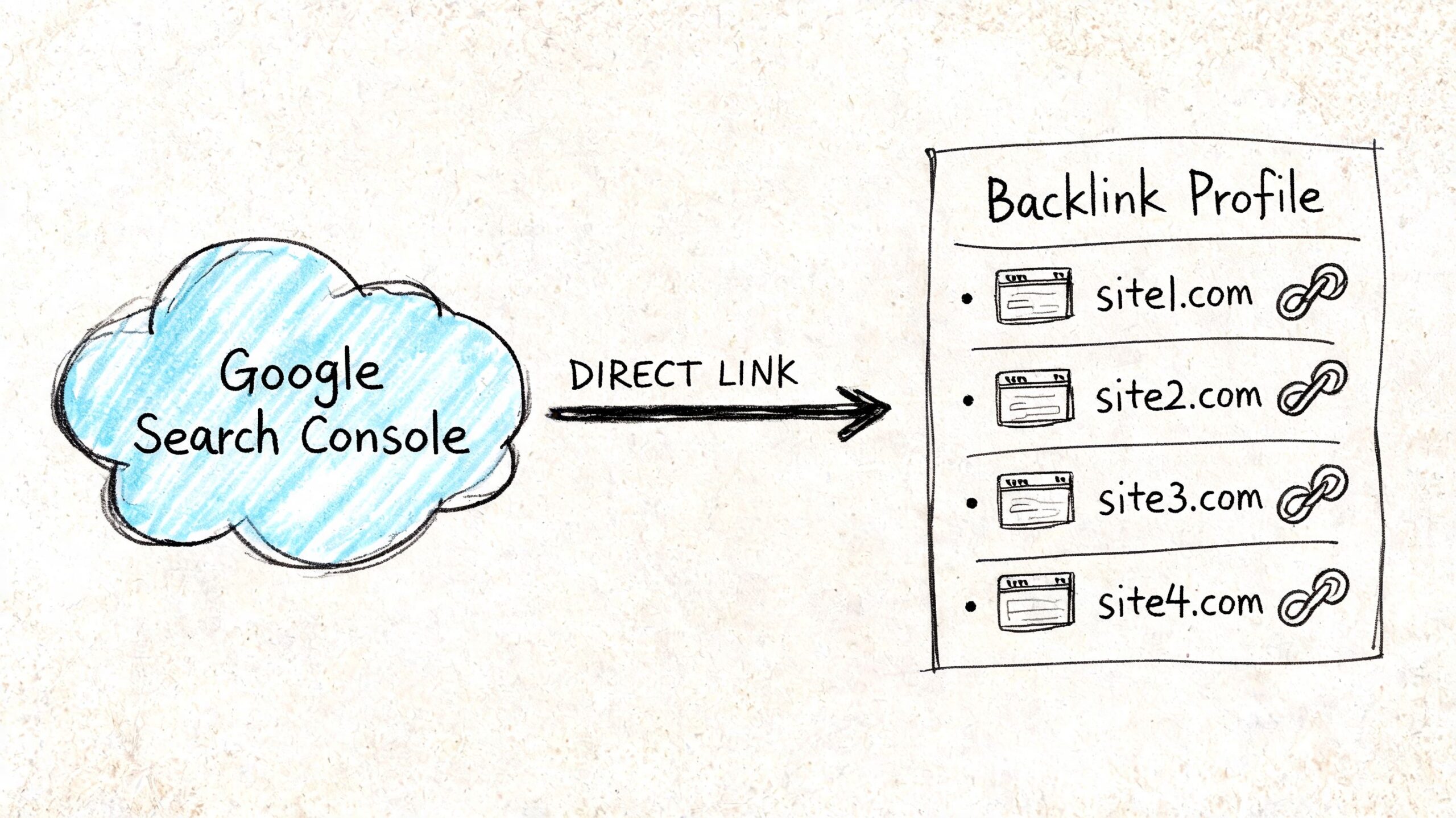
GA4 is useful for one job. It shows visits that happened. If you want the full list of sites and pages linking to you, use Google Search Console.
Why Search Console is the starting point
This distinction trips up a lot of business owners. A backlink is a link pointing to your site. Referral traffic is the visit that happens only if someone clicks that link and your analytics records the session.
Search Console helps you answer, “Who links to my site, and which pages get those links?” GA4 helps you answer, “Which of those links sent visitors I can measure?” You need both answers if you want a backlink review that is useful.
Search Console also catches links that have not produced any tracked visits yet. That still matters. Some links support visibility in search, some build credibility, and some send traffic later after the page gets more exposure.
What to check in the Links report
Open Google Search Console and click Links in the left menu.
Start with these two reports:
| Report area | What it helps you see |
|---|---|
| Top linked pages | Which pages on your site attract the most links |
| Top linking sites | Which external websites link to you most often |
Begin with Top linked pages if you want to spot content worth updating. A guide, location page, or service page that earns links already has authority. Improve that page first. Tighten the copy, add stronger internal links, and make the next step clearer.
Check Top linking sites if you want to review link quality and relationships. Repeated links from a relevant industry site can be a good sign. Repeated links from scraped directories or unrelated domains deserve a closer look before you treat them as wins.
You can also export the report and turn it into a working backlink sheet. I usually do that before reporting because it makes review faster and keeps the process honest.
A simple workflow:
- Sort by linked pages to find the assets that attract attention from other sites
- Review linking sites to judge relevance, reputation, and repeat mentions
- Match those pages and domains against GA4 to see which links also send engaged visitors
That combined view is the point. Search Console gives you the backlink list Google associates with your site. GA4 shows whether any of those links turn into real visits and business value.
Troubleshooting Common Referral Data Issues
Bad referral data creates bad SEO decisions.
GA4 is useful here, but only if you read the report with the right question in mind. A backlink is a link pointing to your site. Referral traffic is a visit that reached your site through a link or another referring source. Those are related, but they are not the same thing. That difference matters most when you start cleaning up noisy reports.
When referral traffic is not a backlink
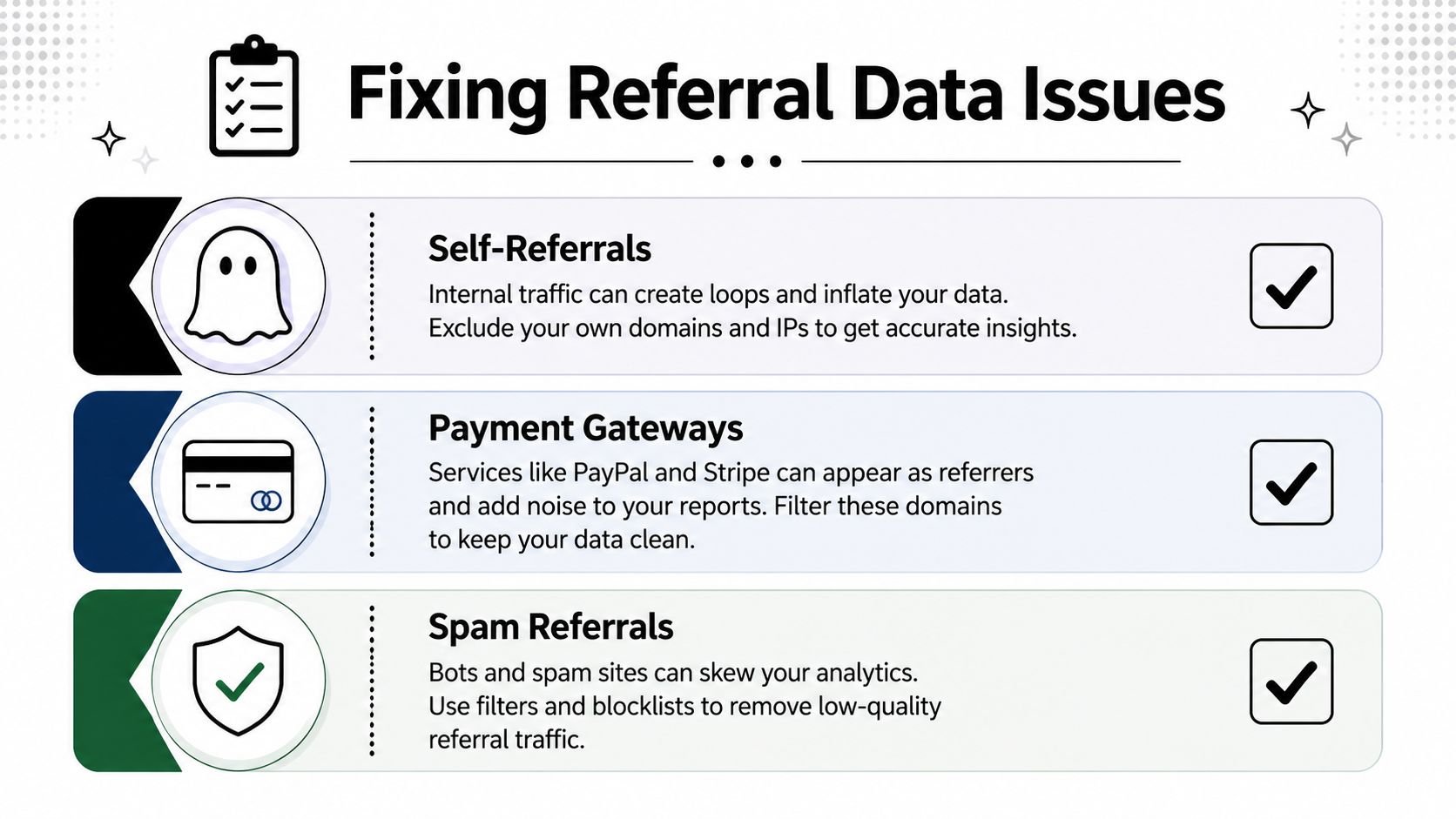
Some referral sources have nothing to do with link building. They show up because of how users move through your site, your checkout process, or connected tools.
The usual offenders are easy to spot once you know what you are looking for:
- Self-referrals. Your own domain appears as the referrer, which usually points to a tagging or cross-domain setup problem.
- Payment gateways. A user leaves your site to pay, then comes back, and GA4 credits the payment domain instead of the original source.
- Login, scheduling, chat, or booking tools. These can appear as referrals even though nobody intentionally linked to you in a way that helps SEO.
If those domains stay in the report, your referral list stops being useful for backlink analysis. You start giving credit to technical pass-throughs instead of real mentions from other websites.
How to clean up the report
Start with a blunt review of the referral table. Ask a simple question for each domain: would a real person describe this as a website that recommended my business?
If the answer is no, treat it as setup noise first and marketing value second.
A practical cleanup checklist:
- Check for your own domain in referrals and fix self-referrals at the tracking level.
- Review checkout and payment providers so they do not overwrite the original acquisition source.
- List third-party tools used in forms, scheduling, logins, or embedded widgets, then decide whether they belong in referral reporting.
- Compare sessions with engagement metrics before treating a referring domain as a good opportunity.
A high volume of visits from a domain means very little if those visitors do not engage. In practice, that usually points to low-quality traffic, a poor landing page match, or a source that was never valuable in the first place.
How to spot broken backlink traffic
The best referral cleanup work often leads to recovery, not exclusion.
A common pattern looks like this. A site links to an old URL, a campaign page was removed, or a service page changed during a redesign. The link still exists, the referring domain still sends visitors, and those visitors land on a 404 or a weak fallback page. That traffic is already earned. It is just being wasted.
Use GA4 Explore to isolate referral traffic by landing page. Add dimensions such as Session source, Landing page + query string, and Page title. Then filter for referral sources and look for pages tied to errors, outdated URLs, or unusually weak engagement. This is one of the fastest ways to turn referral data into a repair list.
Look for patterns like:
| Signal | Likely issue |
|---|---|
| Referral traffic landing on a 404 page | Broken external link or deleted destination |
| Good source, weak engagement | Mismatch between the referring context and the landing page |
| Multiple visits to old campaign URLs | Missing redirects after URL changes |
These fixes often produce faster gains than another round of outreach. When a relevant site already mentions you, restoring the right destination can recover traffic, leads, and attribution with less effort than earning a new link.
A Practical Workflow for Backlink Analysis and Reporting
Most business owners don't need another dashboard. They need a repeatable process that turns backlinks into traffic decisions.

Use a two-tool workflow
The cleanest process is:
- Open Google Search Console first and review the Links report.
- Export or note important linking sites and linked pages.
- Move into GA4 and check which referral sources produced sessions and engagement.
- Match source with landing page so you know which content earns both links and visits.
- Flag broken destinations if referral traffic lands on outdated or missing URLs.
This works because each tool answers a different business question. Search Console gives you coverage. GA4 gives you performance.
A lot of reporting goes wrong because people try to force one tool to do both jobs.
Turn reports into decisions
Once you have both views, your next move should be operational, not academic.
Use your findings to sort links into buckets:
- Keep building here when a source sends engaged visitors to relevant pages.
- Improve the landing page when the source is strong but on-site engagement is weak.
- Fix and reclaim when referral visitors land on broken pages or outdated URLs.
- Ignore or exclude when the source is just technical noise.
Here, analytics becomes useful for growth. You stop asking, “How many backlinks do we have?” and start asking better questions.
For example:
- Which linked pages deserve a refresh because they already attract attention?
- Which referring sites send visitors who read, browse, or buy?
- Which old URLs need redirects because they still receive referral clicks?
- Which “top referrals” are really just payment tools or internal systems?
If you want one advanced habit, make it this one. Review referral traffic to broken pages regularly. The GA4 Explore workflow using Page title, Landing page + query string, and a Referral filter is one of the most practical ways to turn backlink data into a fix list, as outlined in this KRM Digital guide on backlink diagnosis in GA4.
Good backlink reporting doesn't end with a list of domains. It ends with a next action.
That's the right way to approach how to check backlinks in google analytics. Use Search Console to find the links. Use GA4 to judge the traffic. Then fix what's broken, improve what's working, and stop treating all links as equal.
If you want a practical SEO system without hiring an agency, Agency Secrets is worth a look. It focuses on the parts that move organic traffic for small businesses: keyword research, publishing useful content consistently, earning relevant backlinks, and building evergreen pages that keep compounding over time.
Leave a Reply