You're updating service pages, publishing blog posts, maybe even recording videos, and the result is the same. Little movement. Rankings stall. Leads don't noticeably improve.
That usually isn't a work ethic problem. It's a targeting problem.
Most small businesses don't need more content. They need better-selected content. The fastest way to find that is through content gap analysis for SEO, which shows where competitors are already winning attention, trust, and buyer intent that your site still misses.
Table of Contents
- Stop Guessing and Start Winning with Content Gaps
- Define Your Battlefield Goals and True Competitors
- The Reconnaissance Phase Collecting Competitor Data
- From Data to Gaps How to Spot Your Opportunities
- Prioritize for Profit Choosing Which Gaps to Fill First
- Launch Your Attack Creating and Tracking Your Content
Stop Guessing and Start Winning with Content Gaps
A lot of business owners are stuck in the same loop. Publish something. Share it. Wait. Then open analytics and see almost nothing worth reacting to.
That isn't unusual. It's the default outcome when content gets planned from internal guesses instead of search reality. According to RiseOpp's summary of Ahrefs' study of about 14 billion web pages, 96.55% of pages get no traffic from Google. That's the backdrop for every content decision you make. Most pages disappear.

Content gap analysis SEO fixes that by replacing opinion with evidence. You compare your site against the pages and domains already ranking for the searches you care about. Then you identify what they cover that you don't, where their pages satisfy intent better, and where your existing content is too thin to compete.
Why random publishing fails
Small businesses often make one of three mistakes:
- They chase broad topics that look relevant but don't connect to buying behavior.
- They publish duplicate angles of content they already have, which creates overlap instead of reach.
- They target keywords one by one without noticing that search engines rank pages that cover a topic thoroughly.
That's why two companies can publish the same number of pages and get very different outcomes. One is building toward search demand that already exists. The other is writing into the void.
Practical rule: If a competitor repeatedly ranks for a topic cluster and you don't, that's not a creative problem. It's a coverage problem.
The value of content gap analysis isn't that it gives you more ideas. It gives you fewer, better ideas. For a lean team, that matters more. You don't have the luxury of spending months on traffic that never turns into calls, quote requests, demo bookings, or sales.
What winning usually looks like
The most useful gap analysis doesn't start with, “What can we write about?” It starts with, “Where are buyers already showing intent that competitors are capturing first?”
That shift changes everything. You stop treating content like a publishing calendar and start treating it like market reconnaissance. You look for proven demand, visible ranking patterns, and missing pages that are likely to move revenue, not just impressions.
That's what turns content from a cost center into an acquisition channel.
Define Your Battlefield Goals and True Competitors
The fastest way to waste time with content gap analysis is to make it too broad. If you define success as “more traffic,” every missing keyword looks tempting. That's how small teams end up with huge spreadsheets and no clear next move.
A sharper approach starts with business intent.
Set a business outcome before you open any tool
Before you compare a single domain, decide what counts as a win on your site. For most small businesses, it's not raw sessions. It's one of these:
- Lead generation: booked calls, form submissions, estimate requests, consultation requests
- Ecommerce sales: product page visits from qualified searches, category page visibility, revenue-driving product comparisons
- Local demand: location + service queries, urgent problem searches, “best” and “near me” modifiers
- Sales support: pricing, alternatives, comparisons, implementation questions that buyers ask before purchase
Those outcomes tell you which gaps deserve attention. A local HVAC company shouldn't spend its best content effort on broad educational topics if competitors are winning with pages around repair costs, service comparisons, and urgent issue queries. A B2B software firm shouldn't obsess over glossary traffic while competitors rank for pages that help prospects compare options.
Pick a business result first. Then find the search gap attached to that result.
Find search competitors, not just business competitors
Your real competitors in Google often aren't the same companies you think of offline. A local rival may barely rank. Meanwhile, a directory, niche publisher, SaaS competitor, or regional brand may dominate the searches your customers use before they ever contact you.
That's why the baseline matters. Semrush recommends reviewing at least 90 days of organic performance data in GA4 so you don't react to short-term swings, and so you can identify patterns at the topic level instead of chasing isolated keywords.
Use that window to look at:
- Landing pages already attracting organic visits
- Topics that have held visibility over time
- Queries tied to your core services or products
- Pages that almost perform but don't break through
Then search your important terms manually and note who appears repeatedly. Those are your SERP competitors.
Some will be obvious. Others won't be. That's normal.
A useful litmus test is simple: if a site shows up across multiple searches that matter to your buyers, include it. If it's a direct business rival that almost never appears, don't force it into the analysis.
Keep the scope tight
For small businesses, tight beats exhaustive. Start with one product line, one service category, or one region if you serve multiple markets. A focused content gap analysis produces pages you can act on quickly.
Broad analyses often create noise. Narrow analyses create publishable decisions.
The Reconnaissance Phase Collecting Competitor Data
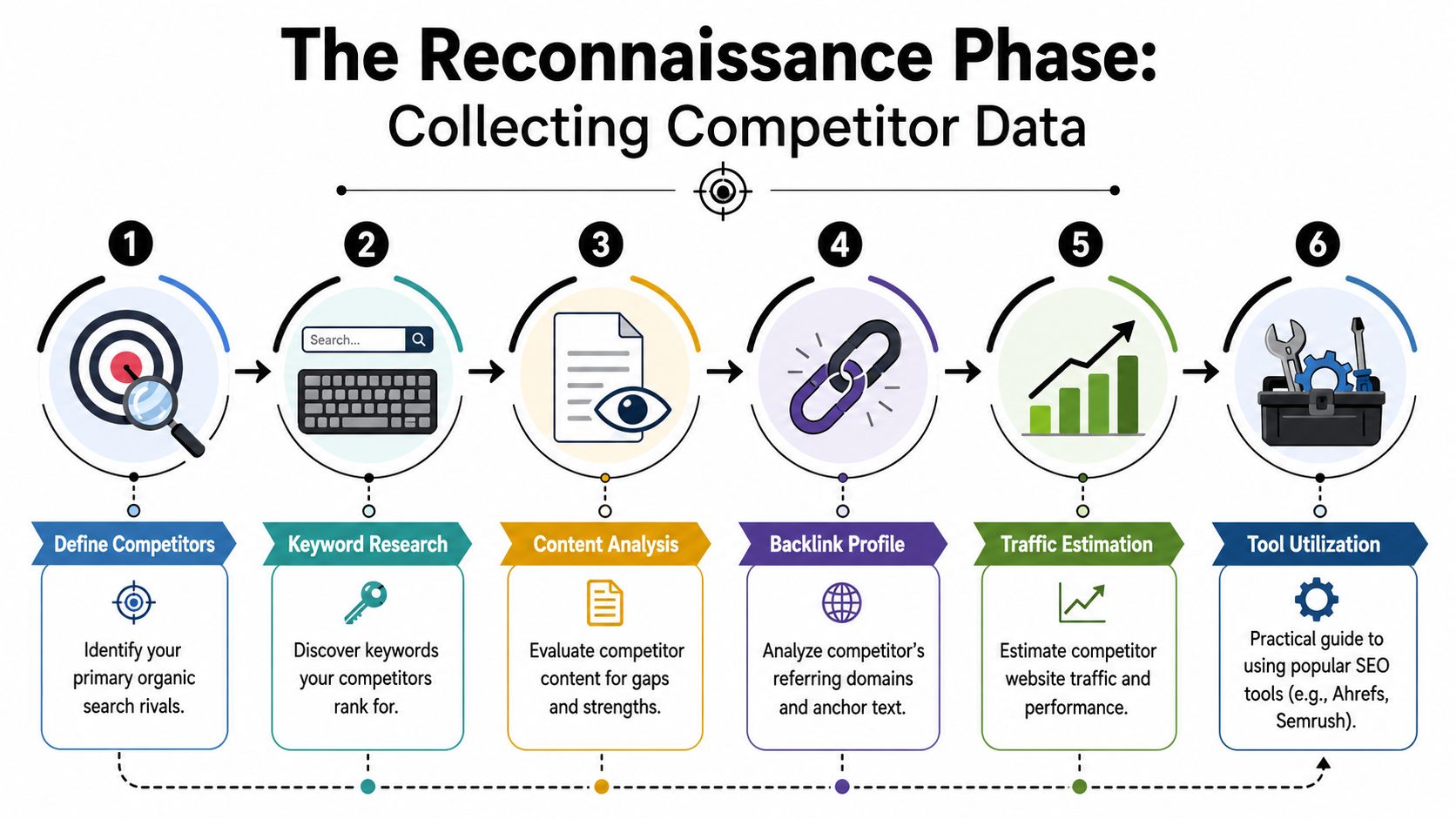
Once goals are clear and competitors are chosen, you need evidence you can work with. This step isn't about downloading the biggest possible keyword export. It's about collecting the shortest path to usable opportunities.
Start with the gap features inside the major tools. That gives you a cleaner starting point than building everything from scratch.
Pull the right keyword sets
A solid practitioner workflow is straightforward. Moz recommends identifying true SERP competitors first, then using a keyword gap tool to compare your domain against up to four competitors and filtering for “Missing” and “Untapped” terms. That's a practical way to find opportunities without drowning in irrelevant exports.
In tools like Semrush, Ahrefs, or similar platforms, the process usually looks like this:
- Compare your domain against actual ranking rivals: Don't load in companies just because you know them. Use sites that repeatedly appear for your valuable searches.
- Start with Missing keywords: These are the cleanest signs that your site has no meaningful presence for a relevant topic.
- Review Untapped terms next: These often reveal category opportunities where some competitors have moved earlier than others.
- Export ranking URLs, not just keywords: The page attached to the term often tells you more than the keyword itself.
The biggest mistake here is relying only on the phrase list. Keywords can hide intent differences. URLs expose page type, depth, structure, and angle.
After you've collected initial data, it helps to watch a walkthrough before refining your own process:
Clean the list before you trust it
Raw exports are messy. They usually contain brand terms, irrelevant geographies, jobs-related queries, support terms, and topics that don't fit your offer. If you skip cleanup, your prioritization will be distorted from the start.
Filter aggressively:
- Remove branded competitor searches unless comparison intent matters to your business
- Strip out unrelated locations if you only serve specific markets
- Delete duplicate intent variations that should live on one page
- Flag obvious page types such as blog, service, collection, comparison, or pricing
A keyword export is reconnaissance, not a content plan. It only becomes useful after you remove what your business shouldn't chase.
This is also where smaller operators can beat larger brands. Big sites often rank for massive topic footprints. You don't need to copy all of them. You need to isolate the subset that overlaps with your buyer journey and your ability to produce a better page.
A lean analysis usually beats an ambitious one because it gets implemented.
From Data to Gaps How to Spot Your Opportunities
Most keyword lists feel useful until you try to act on them. Then the problem shows up. You're staring at hundreds of rows with no clear sense of which terms deserve new pages, which belong on existing pages, and which should be ignored.
The fix is categorization.
Sort keywords into decisions, not just lists
Once you've exported the overlap data, split it into buckets based on what action each group requires. Modern content gap work commonly uses categories like Missing, Weak, Untapped, and Shared. The point isn't the label. The point is assigning the right response.
| Gap Type | Definition | Your Action |
|---|---|---|
| Missing | Competitors rank, but you don't | Create a new page or add a new topic cluster if it fits your offer |
| Weak | You rank, but competitors rank better | Upgrade the existing page. Improve intent match, depth, structure, and internal links |
| Untapped | Some competitors rank, and you don't | Investigate. This may be an emerging or niche opportunity worth claiming early |
| Shared | You and competitors both rank | Compare page quality and look for angle, completeness, or conversion improvements |
Many businesses often misread the data. They assume every missing term deserves a net-new article. That's rarely true. Sometimes you already have the right page, but it only covers part of the topic. Other times multiple terms belong to one stronger commercial page instead of several smaller posts.
The best gap analyses reduce page sprawl. They don't increase it.
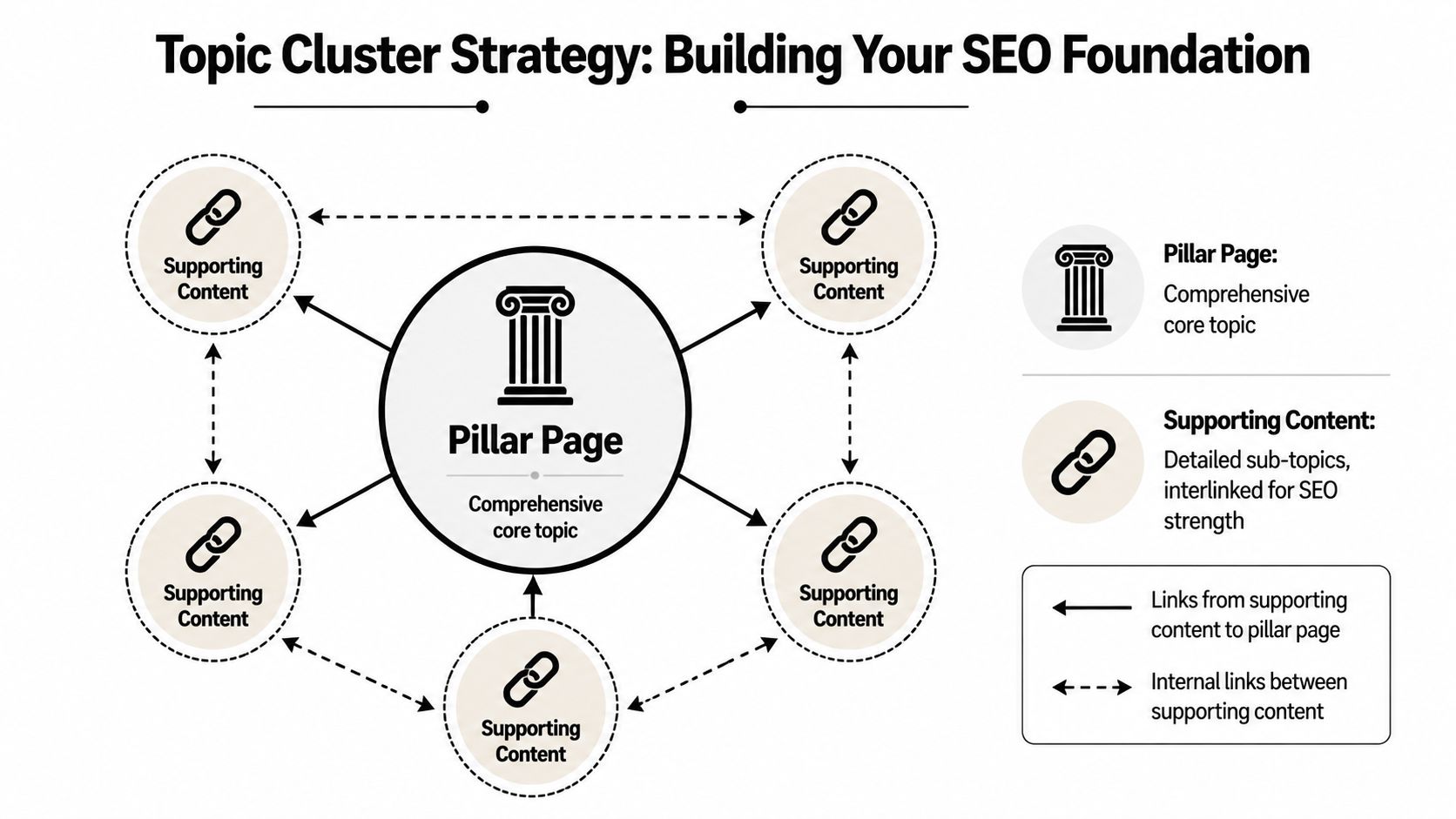
Turn keyword overlap into topic clusters
A page rarely wins because it uses a keyword more times. It wins because it handles the topic in a way that matches search intent better and covers the supporting questions users expect.
That means you should group terms by topic and page purpose:
- “cost,” “pricing,” and “how much” terms often belong together
- “best,” “top,” and “comparison” terms often map to commercial evaluation content
- “service + city” and “near me” variants usually point to local landing pages
- “how to,” “why,” and “what is” searches often support awareness-stage content
If you stop at keyword absence, you'll miss the core issue. As modern guidance on topic coverage stresses, strong analysis looks beyond keyword lists and evaluates semantic depth, intent alignment, page structure, internal linking, and whether the page answers the full topic instead of grazing it.
A useful manual check is to open the top-ranking pages for a cluster and compare:
- What subtopics they cover that you don't
- What format they use, such as service page, long-form guide, collection page, or comparison page
- What proof elements appear, such as examples, process explanations, FAQs, trust signals, or local details
- What they leave out, which may give you room for a better angle
That's when content gap analysis SEO becomes strategic. You're no longer asking, “What keyword am I missing?” You're asking, “What page type and topic treatment is Google rewarding for this buyer need?”
Prioritize for Profit Choosing Which Gaps to Fill First
At this stage, most small businesses either gain momentum or burn months.
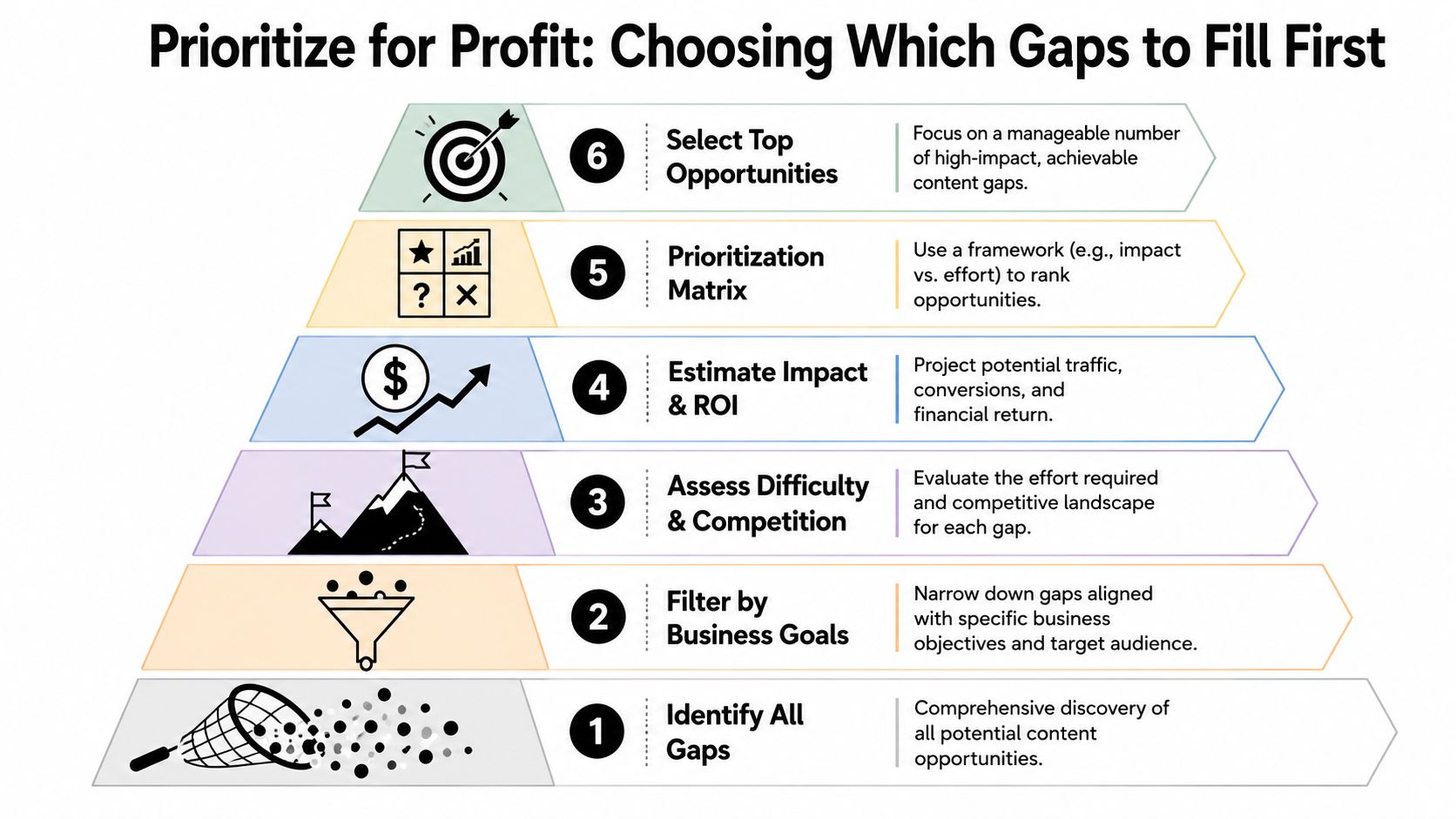
The common mistake is chasing the biggest-looking topic first. High search volume feels important, but volume alone is a weak prioritization method when resources are limited. A page that attracts casual readers can still produce almost no business value.
The better question is simpler. Which gaps are closest to money?
Commercial intent beats vanity traffic
For small businesses, GW Content notes that the strongest opportunities often come from high-commercial-intent topics such as comparison, pricing, and local-service queries. Those topics may bring less traffic than broad educational terms, but they often attract people who are much closer to acting.
That distinction matters more than most guides admit.
A search like “what is cloud accounting” may be relevant to an accounting software company, but a search like “best cloud accounting software for small business” usually sits much closer to a buying decision. For a local contractor, “how roof leaks happen” may draw curiosity, while “roof repair cost” or “emergency roof repair [city]” signals a more urgent lead.
If you can only publish a few pages this quarter, publish the pages buyers use before they contact someone.
The point isn't to ignore informational content. It's to put it in the right order. Informational pages often support authority and internal linking later. Commercial pages deserve earlier attention because they're more likely to influence revenue directly.
Use a simple small-business priority filter
A practical triage model is:
Commercial intent first
Give priority to searches that suggest evaluation, urgency, pricing, provider selection, or local service need.Ranking feasibility second
Look for gaps where the current results are beatable. That may mean weaker pages, thin local competitors, outdated content, or forums and directories ranking because nobody has produced a strong dedicated page.Search volume third
Use volume as a tie-breaker, not the main driver. A smaller but qualified query can outperform a larger low-intent one for an SMB.
Use this filter on every candidate page.
For example, if you run a dental practice, a “veneers vs bonding” page may matter more than a general oral health article. If you sell software, a pricing explainer or alternatives page may matter more than another definition post. If you're a home services company, city-specific service pages with buying intent can outrank months of broad blogging in actual business impact.
What usually goes to the top of the queue
The highest-value gaps often fall into a few recurring types:
- Comparison pages: service A vs service B, tool A vs tool B, treatment A vs treatment B
- Pricing pages: cost ranges, pricing models, what affects price
- Problem-solution pages: symptom to service, pain point to fix
- Local intent pages: service + city, neighborhood, or region
- Use-case pages: pages tied to buyer scenarios rather than generic category explanations
These aren't glamorous. They work because they align with how people search when they're narrowing options.
A lot of small businesses delay these pages because they think they need to sound polished or corporate. They don't. They need to be clear, specific, and more helpful than what's already ranking.
Launch Your Attack Creating and Tracking Your Content
A good analysis that never turns into pages is just admin work. The payoff only starts when you convert the prioritized gaps into stronger content assets and track whether they move business outcomes.
That means building pages around topics, not isolated phrases.
Build pages that answer the whole topic
A common failure in content gap analysis SEO is treating the gap as a missing keyword rather than a missing topic treatment. Martech Space's discussion of modern gap analysis highlights this pitfall and stresses semantic depth, intent alignment, and page structure, not just keyword lists.
In practice, that means every content brief should answer a few hard questions before writing starts:
What is the dominant intent in the SERP?
Is Google rewarding service pages, comparison pages, listicles, local pages, or guides?What must this page cover to feel complete?
Include the core question, likely follow-up questions, objections, examples, and conversion points.What can you add that competitors can't easily copy?
Use firsthand experience, local context, product knowledge, process detail, original framing, or structured facts unique to your business.
That last point matters more now. If AI systems can summarize the generic consensus from a dozen similar pages, your safest edge is information gain. Give searchers something specific enough to cite, trust, and act on.
Strong pages don't just match the topic. They add something the current results don't provide.
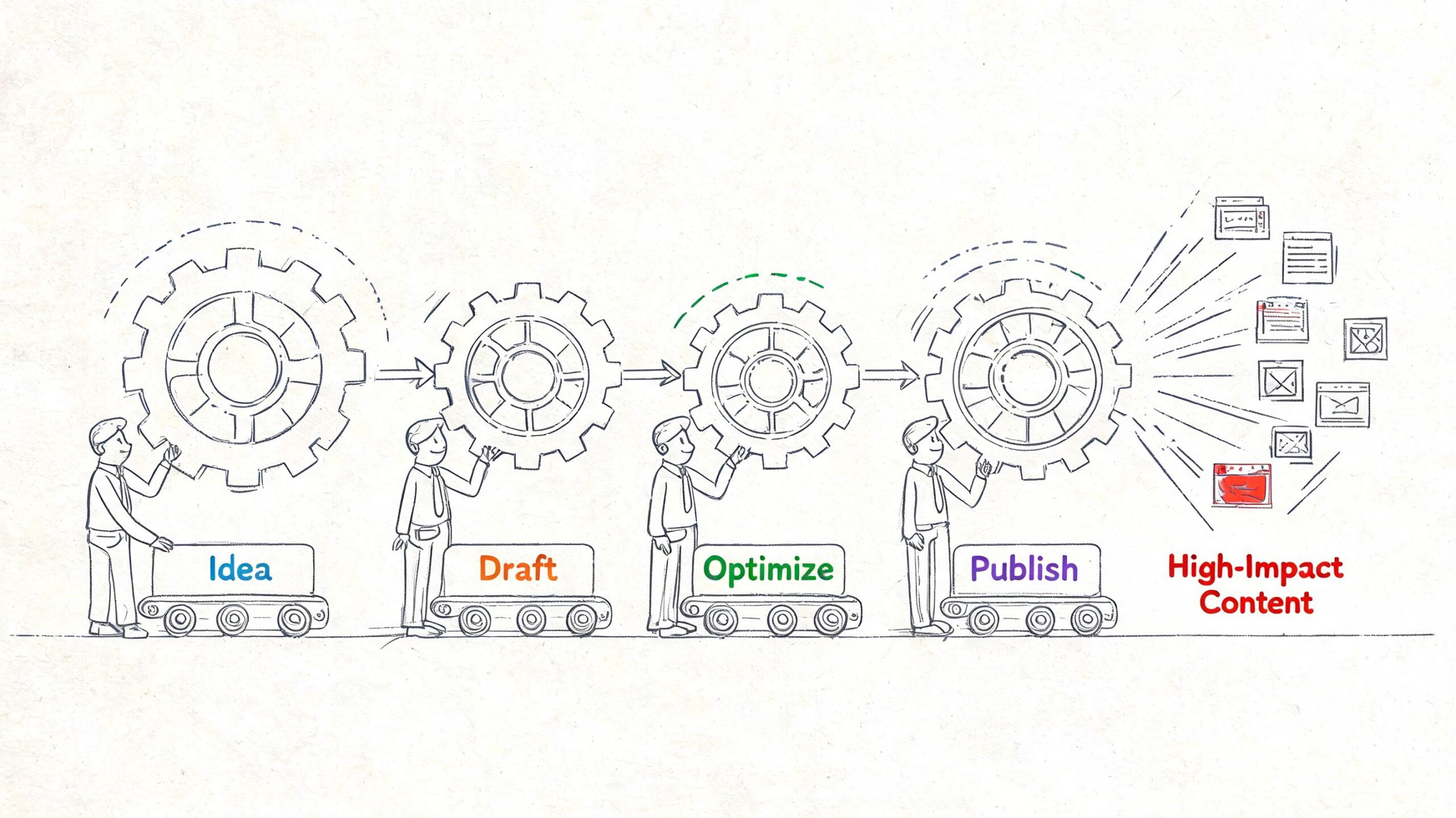
Make the process repeatable
A simple operating rhythm works better than occasional big audits. Keep it lean:
- Build a brief from the winning pages: note format, subtopics, common headings, and obvious weaknesses
- Publish the best-fit page type: don't force every opportunity into a blog post
- Link related pages together: connect service pages, comparisons, FAQs, and supporting guides
- Review performance over time: watch rankings, landing page traffic, and actual conversions tied to the page
- Refresh weak pages before creating too many new ones: sometimes a better update beats another URL
This loop matters because search visibility compounds when your site becomes easier to understand topically. One strong page can help another if the internal linking, page hierarchy, and topic coverage make sense.
The businesses that win with content gaps usually aren't publishing the most. They're publishing with tighter intent, better prioritization, and more discipline after launch.
Agency Secrets helps small business owners turn this kind of SEO work into a practical system instead of a pile of spreadsheets. If you want an agency-free playbook for buyer-intent keyword research, consistent publishing, backlinks, and competitor analysis, take a look at Agency Secrets.