You publish blog posts, service pages, maybe a few location pages. Traffic starts to climb. Google Search Console shows more impressions. Analytics says people are landing on your site.
But the phone doesn't ring more often. Demo requests stay flat. Product sales don't move.
That usually means you didn't attract the wrong amount of traffic. You attracted the wrong kind of traffic. A visitor searching “how does payroll software work” behaves very differently from someone searching “best payroll software for small business pricing.” One is learning. The other is shopping.
Buyer intent keywords are the difference between visibility and revenue. They help you target searches made by people who are actively comparing options, narrowing vendors, checking pricing, or trying to buy. For a small business, that matters more than winning broad vanity terms that look good in a report and produce little else.
Most guides stop at a list of modifiers like “best,” “buy,” and “price.” That's useful, but incomplete. In real SEO work, a keyword only matters if the live search results confirm that Google sees it as a money term. That's the missing piece most small businesses never get taught.
Table of Contents
- Why High Traffic Does Not Equal High Sales
- Decoding Searcher Intent with Keyword Modifiers
- A Step-by-Step Workflow for Finding Buyer Keywords
- Mapping Keywords to Your Content and Sales Funnel
- How to Prioritize and Track Your Winning Keywords
- Automate Your Buyer Intent Workflow with OutRank
Why High Traffic Does Not Equal High Sales
A lot of SEO campaigns fail for one simple reason. They target keywords that are easy to publish on, not keywords tied to buying behavior.
A plumbing company might rank for “why is my water pressure low.” A skincare brand might rank for “how often should you exfoliate.” A software company might rank for “what is CRM.” Those terms can bring visitors, and some of those visitors may convert later, but most aren't ready to choose a provider today.
That gap is where small businesses get frustrated. They invest time into content, see movement in traffic, and assume sales should follow automatically. They usually don't.
Traffic can be high quality or low intent
A search visit only matters if it aligns with the action you want. If you want a booked estimate, a product sale, or a demo request, then search terms tied to comparison and purchase behavior deserve more attention than broad education queries.
The easiest way to think about it is this:
- Low-intent traffic fills the top of the funnel. It teaches, introduces, and warms up.
- Buyer-intent traffic sits closer to revenue. It compares, evaluates, and converts.
- Mismatched traffic wastes effort because the visitor lands on a page that doesn't fit what they want next.
Practical rule: If a keyword brings visitors who still need basic education, don't expect that page to behave like a sales page.
This doesn't mean informational content is useless. It means many small businesses overproduce it because it's easier to write and easier to imagine ranking for. They underproduce the pages that help a buyer make a decision.
What small businesses usually get wrong
The common mistakes aren't technical. They're strategic.
- Chasing broad topics: Broad keywords feel attractive because they seem bigger, but broad often means vague.
- Publishing blog posts for everything: Some searches don't need a blog post. They need a pricing page, a comparison page, or a service page.
- Ignoring the SERP: Business owners judge intent by the words in the query and skip the search results entirely.
- Reporting on traffic alone: Rankings and clicks don't tell you whether the keyword has commercial value.
Buyer intent keywords fix this because they force you to ask a sharper question. Not “Can I rank for this?” but “If I rank for this, will the visitor be closer to buying?”
Decoding Searcher Intent with Keyword Modifiers
Search intent isn't one bucket. Industry-standard guidance breaks it into informational, navigational, commercial, and transactional. In practice, the strongest buyer intent usually sits in the commercial and transactional categories, and modifiers like “best,” “compare,” “vs,” “buy,” and “price” are widely used to identify them, as explained in Semrush's guide to buyer keywords.
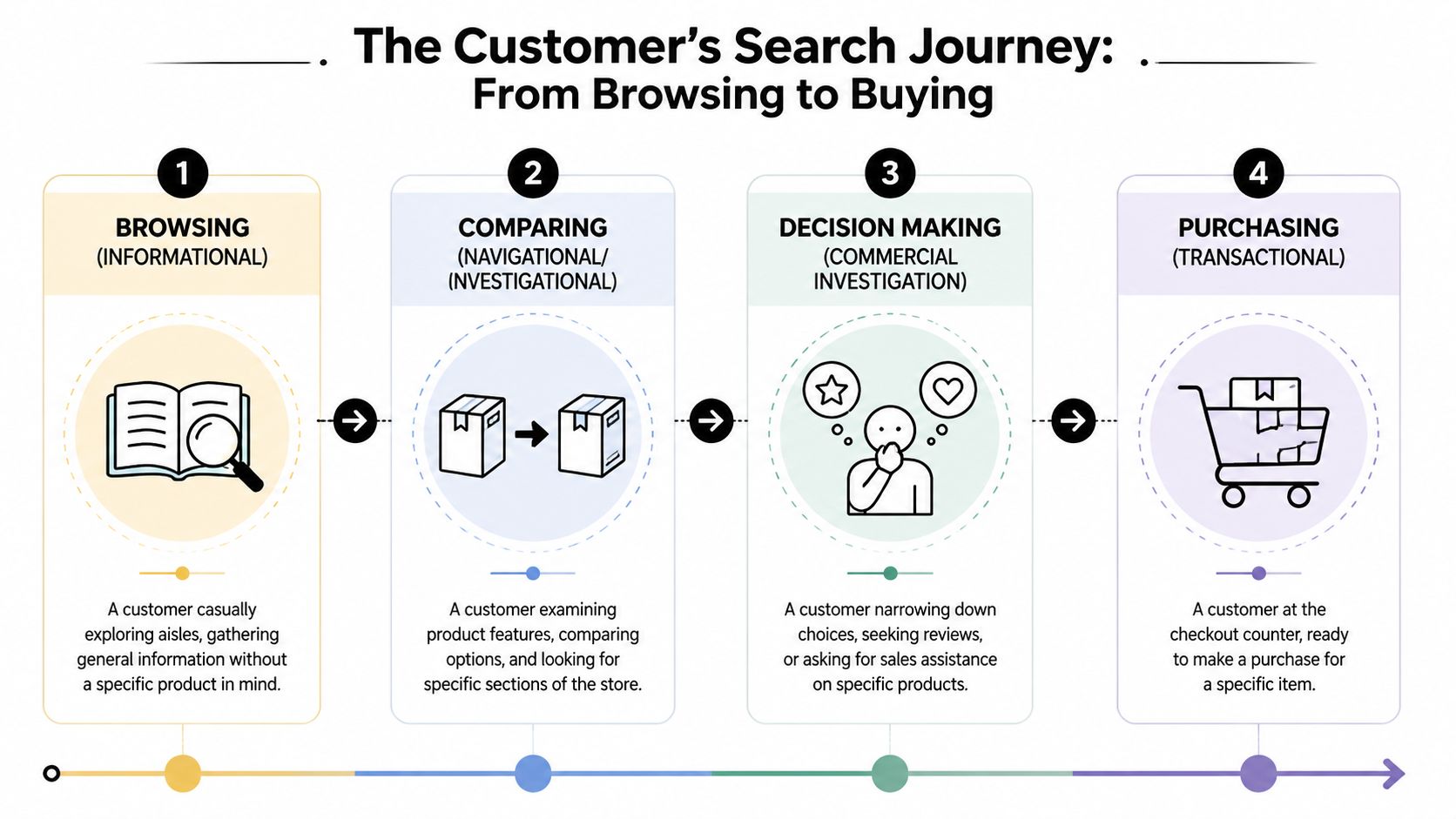
The four intent buckets in plain English
Think of search like a customer walking through a store.
An informational search is the person still wandering the aisles. They're trying to understand the problem or learn the basics. Searches often include phrases like “what is,” “how to,” or “why does.”
A navigational search is the person looking for a specific brand, product line, or destination. They already know the store section they want. Searches may include brand names or exact product names.
A commercial search is the customer holding two boxes and comparing them. They haven't paid yet, but they're evaluating options. During this evaluation, terms like “best,” “review,” “compare,” and “vs” become useful.
A transactional search is the customer at the checkout line. They want to buy, book, order, or get pricing. Queries often include “buy,” “price,” “discount,” “coupon,” or direct purchase language.
The wording matters, but the buyer's mindset matters more. Modifiers are clues to what the searcher wants next.
What modifiers reveal about buying readiness
Keyword modifiers aren't magic words. They're signals.
When someone adds “best” to a query, they're usually trying to narrow choices. When they add “vs,” they're comparing finalists. When they add “price” or “pricing,” they want cost information before committing. When they add “buy,” they want a page that lets them act now.
Here's a practical way to read them:
- Early-stage modifiers: “what is,” “how to,” “guide,” “tips”
- Mid-stage modifiers: “best,” “review,” “top,” “compare,” “vs”
- Late-stage modifiers: “pricing,” “quote,” “demo,” “trial,” “buy,” “order,” “near me”
Many businesses get sloppy when they see a valuable modifier and assume they should write a blog post. That often fails. A search for “CRM pricing” doesn't want a general article about customer relationship management. It wants a pricing page or a page that directly addresses plan differences.
Why modifiers help but don't settle the question
Modifiers give you a strong starting point. They don't tell the full story on their own.
The same phrase can behave differently depending on industry, geography, and the current search results. “Best accountant for small business” may reward review-style pages. “Buy office chairs” may be dominated by ads, shopping results, and category pages. The words are helpful, but Google's current interpretation is what decides the page type that can win.
That's why a serious buyer intent keyword strategy starts with modifiers and ends with validation.
A Step-by-Step Workflow for Finding Buyer Keywords
Most small businesses don't need a giant keyword list. They need a short list of terms that lead to calls, checkouts, bookings, and demos.
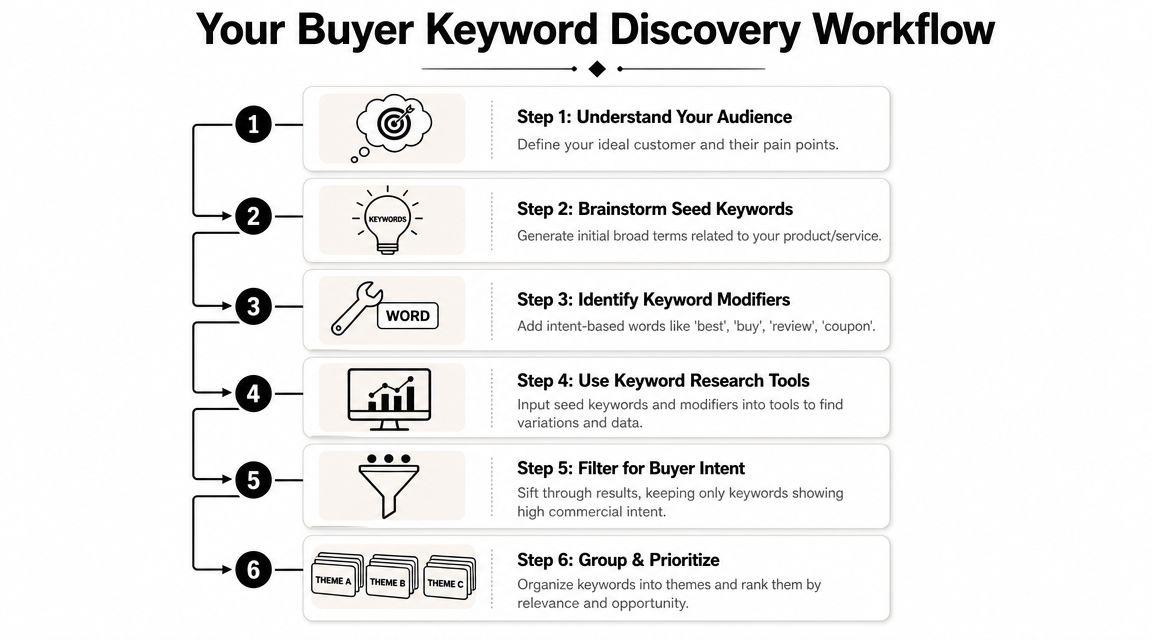
Start with products problems and real customer language
Start from the business, not the tool.
Write down your core offers. Then list the customer problems each offer solves. A dentist might list “teeth whitening,” “Invisalign,” and “emergency dentist.” A software company might list “inventory management,” “invoice automation,” and “client portal.” An HVAC company might list “AC repair,” “furnace replacement,” and “duct cleaning.”
Then create three seed groups:
Product or service terms
These are the obvious head terms tied to what you sell. Think “bookkeeping service,” “meal delivery service,” or “standing desk.”Problem-solution terms
These often convert better than broad educational topics because the searcher already feels the pain. Examples include “fix low water pressure,” “software for late invoice payments,” or “CRM for missed follow-ups.”Brand and comparison terms
These are often neglected and often valuable. Include your brand, competitor names, and alternative language such as “[brand] vs [brand],” “[competitor] alternatives,” or “[your service] pricing.”
Expand with tools then validate in the SERP
Once you have seeds, use a keyword research tool to expand them. Semrush, Google Keyword Planner, and Keyword Insights can all help generate variations. Use intent labels if the tool offers them, but treat them as a draft, not a final answer.
Then do the part most articles skip. Search the keyword and inspect the live results.
According to Keyword Insights on buyer intent keyword validation, strong commercial signals include ads appearing in the SERP, plus a results page filled with product pages, listings, pricing pages, or comparison pages. The same source notes that high CPC bids in paid search are often used as a proxy for sales intent because advertisers bid harder on keywords tied to revenue.
Look for these signs:
- Ads at the top: Advertisers usually don't spend aggressively on terms with weak purchase intent.
- Page type concentration: If most results are pricing, product, service, or comparison pages, Google sees buying value in that query.
- Shopping or local features: These often push a term closer to action, especially for ecommerce and local services.
- Weak content fit: If the SERP is dominated by page types you can't realistically create, skip it for now.
Here's the embedded walkthrough if you want a visual overview of the research process.
Reality check: A keyword isn't a buyer keyword because a list online says it is. It's a buyer keyword when the SERP shows that Google and advertisers treat it like one.
Mine your own data before chasing new terms
If your site already gets traffic, your best keyword source may be your own data.
Look at Google Search Console queries tied to pages that already generate leads or sales. Check which landing pages lead to contact form submissions, booked calls, purchases, or demo requests. First-party conversion behavior tells you more than a giant export from a third-party tool.
This is especially useful for small businesses with limited time. Instead of starting from zero, you can identify the searches already associated with revenue and expand from there.
A practical workflow looks like this:
- Open your conversion pages: Pull your service pages, product pages, pricing page, and demo page.
- Check query data: Find the searches already bringing impressions and clicks to those pages.
- Add close variants: Build out related phrases around modifiers like “pricing,” “quote,” “trial,” “near me,” and “alternative.”
- Review competitors manually: Look at title tags, comparison pages, and menu structure. Competitors often reveal categories and comparison angles you haven't built yet.
- Scan Google features: Autocomplete, related searches, and People Also Ask often surface buyer language your internal team doesn't use.
What doesn't work is collecting hundreds of keywords and treating them equally. Small businesses win when they narrow down to terms with obvious business value and clear SERP confirmation.
Mapping Keywords to Your Content and Sales Funnel
Finding buyer intent keywords is only half the job. The page has to match what the searcher expects to see.
If the keyword signals learning, an educational article fits. If it signals evaluation, a comparison page or use-case page usually fits better. If it signals purchase readiness, Google often expects a product, service, pricing, or demo page.
Match the page type to the search
User intent determines content format. Guidance summarized by SalesMotion on buyer intent data notes that informational terms like “what is” work with educational articles, while commercial and transactional modifiers such as “pricing,” “buy,” “demo,” and “trial” indicate purchase readiness and require product, comparison, or pricing pages.
A lot of weak SEO programs fail on this exact issue. They target a comparison query with a generic blog post, or they target a pricing query with a homepage, or they target a demo query with a feature article. The keyword may be right, but the page format is wrong.
If someone searches with buying language, don't send them to a page that still acts like they just discovered the category.
Keyword intent to content map
| Intent Type | Funnel Stage | Example Modifiers | Content Type |
|---|---|---|---|
| Informational | Top of funnel | what is, how to, why, guide | Educational article, glossary page, explainer post |
| Navigational | Brand-aware | brand name, product name, login, location | Homepage, brand page, product page, location page |
| Commercial | Middle to lower funnel | best, compare, vs, review, alternatives | Comparison page, roundup, category page, solution page |
| Transactional | Bottom of funnel | pricing, buy, quote, demo, trial, order, near me | Pricing page, service page, product page, booking page, demo page |
A few practical matches:
- “Best payroll software for restaurants” usually belongs on a comparison or use-case page.
- “Payroll software pricing” belongs on a pricing page.
- “Bookkeeping services near me” belongs on a local service page.
- “QuickBooks alternative for contractors” belongs on a competitor-alternative page if you can make a credible case.
The stronger the buying signal, the less patience the visitor has for detours. They want proof, pricing clarity, features, trust elements, and a clear next step.
How to Prioritize and Track Your Winning Keywords
Once you have a list, don't ask which keyword is “best” in the abstract. Ask which keyword gives your business the clearest path to rankings and revenue.
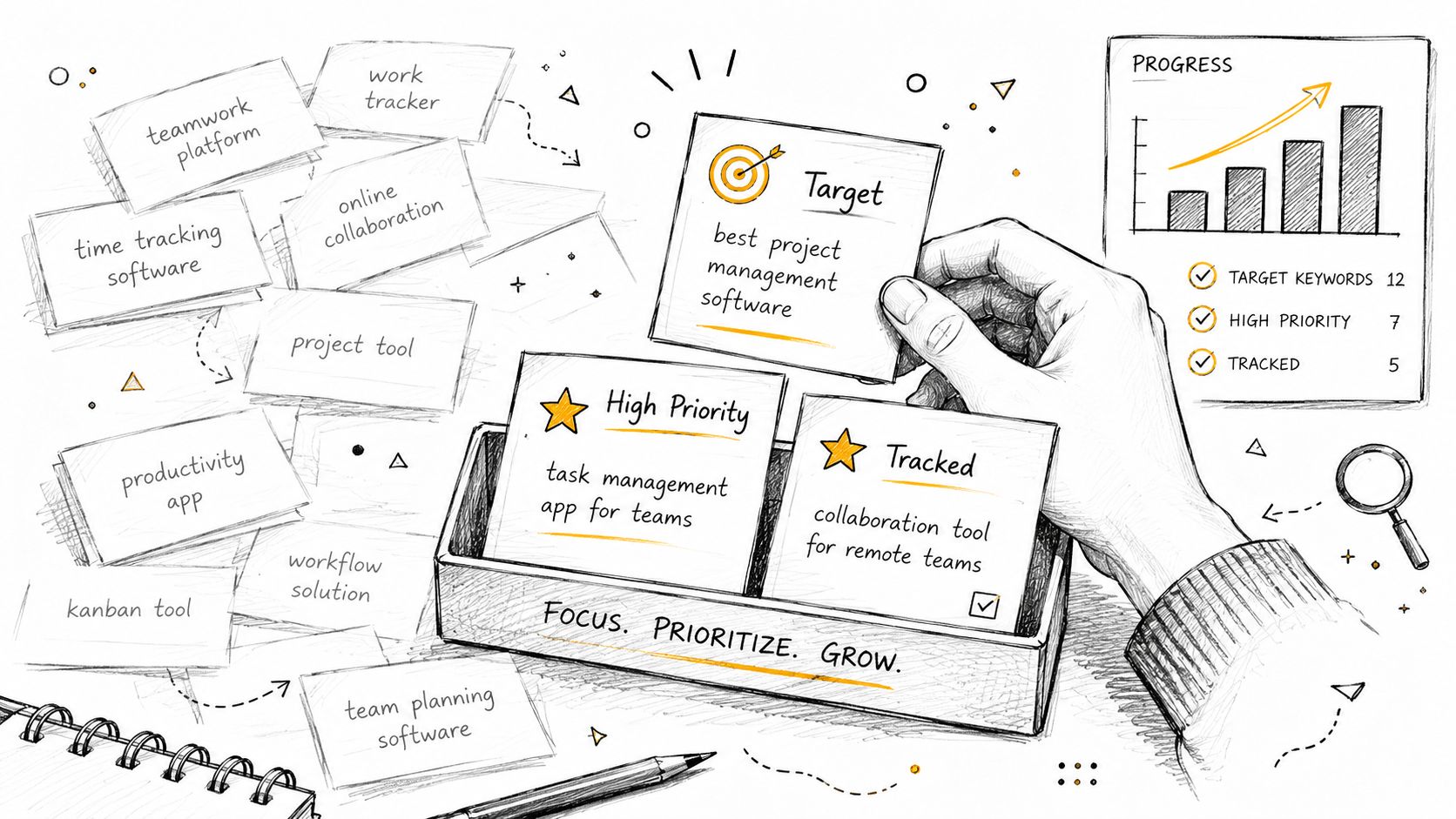
Use a simple decision filter
For SMBs, three factors matter most:
Business relevance
Can this keyword lead to a product sale, a booked call, or a qualified lead for something you sell?Reasonable opportunity
Can you realistically create the page type Google is already rewarding?Enough demand to matter
You don't need the biggest term. You need terms that can generate meaningful business activity.
Live SERP analysis becomes your priority filter. Prospeo's analysis of buyer intent keyword lists makes the key point that intent changes by SERP context, and that the strongest signal of true buyer intent is the live SERP. If ads and product pages dominate, the query is transactional. The practical takeaway is that the keyword matters less than the page type Google rewards today.
That changes how you prioritize. If you can produce a strong comparison page and the SERP rewards comparison pages, that keyword moves up. If the SERP is dominated by giant marketplaces, heavy ad placement, and product feeds you can't compete with, that keyword moves down.
A simple scoring pass works well:
- High priority: Strong business fit, SERP matches your page type, and the topic supports direct action
- Medium priority: Good fit, but the SERP is mixed or you need stronger authority first
- Low priority: Weak fit, unclear conversion path, or SERP mismatch
Track revenue signals not vanity metrics
Rankings matter. They're just not enough.
Track the chain from keyword to outcome:
| What to track | Why it matters |
|---|---|
| Landing page impressions and clicks | Shows whether the keyword is gaining visibility |
| Rankings for priority terms | Helps spot momentum or loss |
| Form submissions or booked calls from landing pages | Connects traffic to leads |
| Sales, demos, or purchases from those pages | Confirms commercial value |
| Assisted conversions | Captures keywords that influence later action |
A keyword that ranks fifth and brings qualified leads beats a keyword that ranks first and brings students, researchers, or casual browsers.
Review your priority terms regularly because SERPs change. A query that once rewarded articles may shift toward product pages or local packs. When that happens, your content strategy needs to change with it.
Automate Your Buyer Intent Workflow with OutRank
Manual buyer intent research works. It also takes time most owners don't have.
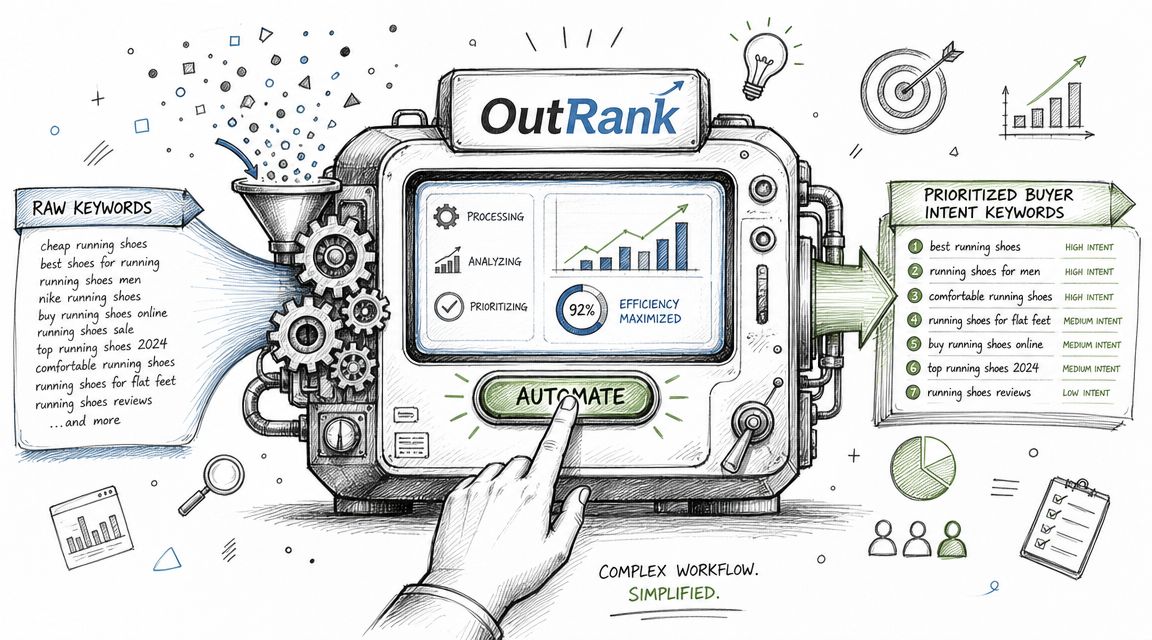
The slowest part isn't finding a few modifiers. It's doing the full loop well. You need to generate seed ideas, expand them, inspect the SERP, decide which page type fits, look at competitors, write the right content, publish it consistently, and then keep the whole system moving.
What takes the most time manually
Small businesses usually hit the same bottlenecks:
- Research bottleneck: Too many keywords, not enough clarity on which ones tie to revenue
- Content bottleneck: Good topics found, but no time to turn them into well-structured pages
- Consistency bottleneck: A few articles go live, then the process stalls
- Competitive bottleneck: Rivals publish faster and cover more comparison and bottom-funnel topics
That creates a familiar problem. You know what should be done, but the workflow breaks under day-to-day operational pressure.
Where automation actually helps
The right automation doesn't replace strategy. It removes repetitive work from the strategy.
OutRank helps by handling the tasks that usually slow execution down:
- Keyword discovery: It surfaces search opportunities so you don't start every cycle from a blank spreadsheet.
- Content production: It generates SEO-focused articles mapped to target topics, which helps teams maintain publishing velocity.
- Competitor analysis: It gives context on what rivals are doing, which makes prioritization easier.
- Ongoing execution: It reduces the stop-start pattern that kills most SMB SEO efforts.
For a business owner, that's the core value. You still decide what matters commercially. The tool makes it easier to turn that judgment into a repeatable publishing system.
If your current process depends on occasional bursts of keyword research followed by inconsistent writing, you don't need more theory. You need a workflow that keeps producing pages aligned with buyer intent.
If you want a practical SEO system without hiring an agency, Agency Secrets shows small business owners how to target buyer intent, publish consistently, earn stronger backlinks, and use OutRank to automate the heavy lifting. It's built for operators who want search-driven growth without turning SEO into a full-time job.
Leave a Reply