
You're probably here because manual rank checking has started to break down.
At first, checking a few keywords in an incognito window feels manageable. Then you add locations, devices, product lines, service pages, and competitors. Soon you're spending time on a process that still doesn't give you a clean answer. One search shows you near the top. Another shows something else entirely. Your team wants a dashboard, not screenshots.
That's where a google keyword position checker api becomes useful. But the hard part isn't making an API call. The hard part is choosing the right kind of API in the first place. For most businesses, that choice decides your reporting quality, your maintenance burden, and whether your data is trustworthy enough to guide decisions.
Table of Contents
- What Is a Google Keyword Position Checker API
- Comparing the Three Main API Approaches
- Using the Google Search Console API for Owned Properties
- Leveraging Third-Party SERP APIs for Full Visibility
- The Risks and Realities of DIY Scraping
- Practical Code Examples for API Calls
- Best Practices for Managing API Data
- A Decision Framework for Choosing Your API
- Frequently Asked Questions
What Is a Google Keyword Position Checker API
A google keyword position checker api is a way for software to request ranking data automatically instead of having a person search manually. In plain English, an API is a structured way for one system to ask another system for information. For SEO, that usually means asking for ranking data for a keyword, domain, page, location, or device.
The business value is simple. You stop checking rankings one by one and start pulling them into tools you already use. That could be a reporting dashboard, a spreadsheet, an internal app, or a client portal. Once ranking checks become repeatable, you can track movement over time instead of arguing over isolated screenshots.

Why this category exists at all
A lot of business owners assume Google must provide a native API for live rank checks. It doesn't. A long-running discussion in Google Groups on the old AJAX Search API said there was “no way to check keywords rankings through Google API,” and noted that the Custom Search API was limited to a custom search engine rather than standard google.com results, with a free tier of only 100 requests per day. That limitation is one reason specialist rank-tracking providers took over this category.
That history matters because it explains the market. If you want live SERP snapshots, competitor checks, or repeated monitoring at scale, you're almost always looking at third-party infrastructure, not Google-native tooling.
Practical rule: If someone promises “official Google live rank tracking,” they're usually blending together different products that solve different problems.
What businesses actually use it for
For the vast majority of teams, rank data isn't useful for its own sake. Instead, it serves to answer operational questions like these:
- Content teams want to know whether a page is climbing or slipping for target queries.
- Local businesses need to compare desktop and mobile visibility across service areas.
- Agencies and consultants need a repeatable way to monitor competitors and client terms.
- Founders want reporting that doesn't depend on someone remembering to run manual checks.
A rank-checking API is useful when it turns rankings into a workflow. If it only gives you a raw number with no context, it won't help much.
Comparing the Three Main API Approaches
A business usually reaches this decision after the same frustrating moment. Someone asks for weekly rankings, competitor visibility, and local SERP checks in one dashboard, then assumes a single "Google API" will cover all of it.
It won't. These three approaches solve different business problems, and choosing the wrong one creates bad reporting, wasted spend, or unnecessary legal exposure.
How the three options differ
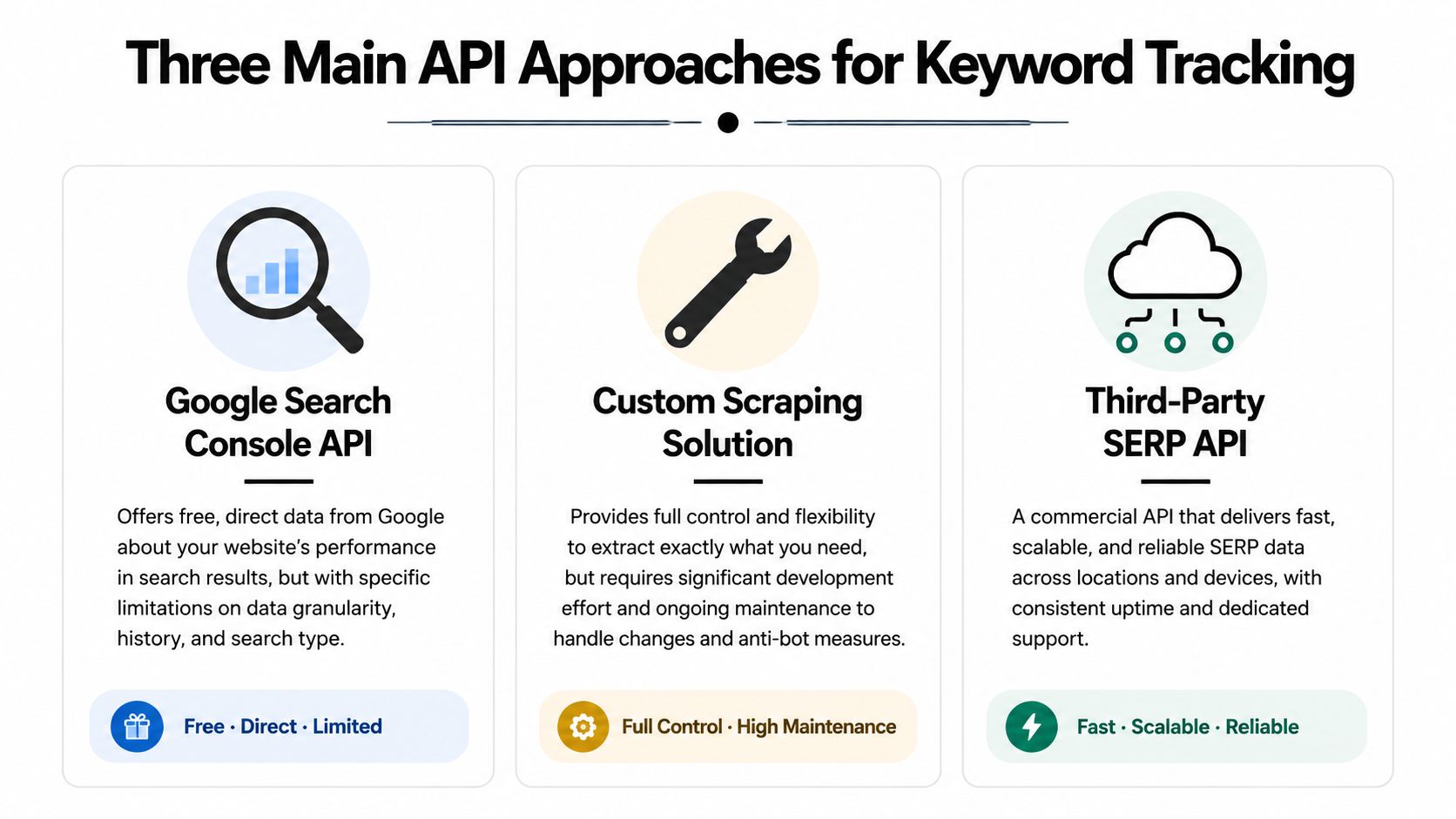
Google Search Console API is a first-party source. It reports how Google has recorded search performance for a verified property over time. That makes it strong for measuring your own site, but weak for competitor tracking or on-demand SERP snapshots.
Third-party SERP APIs are built for observation of the public results page. They are the practical choice when the question is "what ranks for this keyword in this location on this device right now?" That is a different job from Search Console, and the pricing reflects it because the vendor is handling collection, proxies, parsing, and uptime.
DIY scraping sits in a third category. It can produce the exact output you want if you have the engineering appetite to build and maintain it. In a business setting, though, the cheap-looking option often turns into the expensive one once you account for blocked requests, parser fixes, proxy costs, and the time required to keep it running.
The comparison is not feature versus feature. It is first-party analytics versus market observation versus custom infrastructure.
Use Search Console for owned-property performance analysis. Use a third-party SERP API for live rank monitoring and competitor visibility. Build scraping only if custom control matters enough to justify ongoing technical and legal overhead.
A practical comparison table
| Criterion | Google Search Console API | Third-Party SERP API | DIY Scraping |
|---|---|---|---|
| Primary use | Owned-site search performance reporting | Live SERP collection and rank tracking | Custom SERP collection pipeline |
| Data type | Aggregated metrics tied to a verified property | Snapshot of search results at a specific time | Whatever your system can collect and parse |
| Best for | Trends, queries, CTR, impressions, average position | Competitor monitoring, local rank checks, device-specific tracking | Internal tools with unusual data requirements |
| Competitor tracking | No | Yes | Yes, if you build and maintain it |
| Setup effort | Moderate | Usually low to moderate | High |
| Ongoing maintenance | Low to moderate | Low on your side | High on your side |
| Legal and platform risk | Low for standard use | Lower than DIY because the vendor absorbs collection risk | Higher |
| Reporting quality | Strong for owned properties and trend analysis | Strong for ranking visibility and SERP features | Depends on parser quality and operational discipline |
For decision-making, six criteria matter more than API jargon: accuracy, recency, scale, setup time, legal risk, and whether the data is actually useful in reporting.
- Choose Google Search Console API if the goal is to understand how your site is performing in Google over time.
- Choose a third-party SERP API if you need rankings for competitors, local markets, device variants, or fresh snapshots on demand.
- Choose DIY scraping only if off-the-shelf APIs cannot support a specific workflow and you are prepared to own the maintenance burden.
That last trade-off gets underestimated. Buying an API can look expensive on a pricing page. Rebuilding one internally is usually more expensive once a developer has to babysit it.
Using the Google Search Console API for Owned Properties
Monday morning, the CEO asks a simple question: “Did we move up for our main keyword?” If your only data source is Google Search Console, the honest answer is usually, “We can measure trend and visibility for our site, but not a live, single-slot ranking in the way rank trackers report it.”
That distinction matters because Search Console is an ownership and performance tool first. It is strongest when the business question is about how Google has exposed your verified site over time, and what that exposure produced in clicks and impressions.
What GSC is actually good at
For owned properties, the Search Console API gives you the cleanest line from search visibility to business outcomes. The searchanalytics/query endpoint lets you segment data by query, page, country, device, search type, and date. You can pull clicks, impressions, CTR, and average position, then use those fields to answer questions a snapshot rank checker cannot answer well.
Examples:
- Which queries are starting to generate impressions for a newly optimized page
- Whether mobile performance is improving faster than desktop
- Which countries deserve separate SEO reporting
- Whether branded traffic is masking weakness in non-branded discovery
- Which pages earn visibility but fail to attract clicks
That last point is where GSC becomes especially useful for decision-making. A position metric on its own can look healthy while CTR stays weak because the snippet is poor, the query intent is mixed, or the SERP is crowded with ads and rich results. Search Console helps separate “we appear” from “we win traffic.”
What average position really means
Average position is often misunderstood in executive reporting.
Google does not return one fixed rank for a keyword across all searches. It returns an aggregated average based on the impressions your property received. That average can blend mobile and desktop behavior, different locations, and different moments in time. For a business owner, the practical implication is simple. “Average position 4.2” does not mean your result sat in slot four every time someone searched.
Use the metric for trend analysis. Use it to compare periods, pages, devices, and countries. Do not use it as a substitute for a live SERP snapshot.
A common reporting mistake is turning GSC average position into a claim like “we rank number four.” That overstates the precision of the metric and creates false confidence.
Where GSC fits in a business stack
Search Console API is a strong choice when you need reporting that is defensible, low-risk, and directly tied to your own property. It is also usually the cheapest option if your scope is limited to sites you control, because the collection layer already exists inside Google's product.
The trade-off is visibility. You cannot use GSC to monitor competitors, inspect a precise local SERP on demand, or verify how a result looked at a specific moment for an unverified property. If the business needs those answers, GSC should stay in the stack, but it should not be the only source.
A practical way to frame it is this: use GSC to measure owned-site performance and SEO progress over time. Use other methods only when the question goes beyond what a verified-property analytics API was designed to show.
Leveraging Third-Party SERP APIs for Full Visibility
A common scenario looks like this. A retailer wants to know why revenue dipped for a high-intent keyword, but the answer is not in Search Console because the actual question is broader than their own site. They need to see who replaced them, whether ads pushed organic listings down, and whether mobile results in a specific city look different from desktop results nationwide.
That is the job third-party SERP APIs handle well.
Why businesses pay for this layer
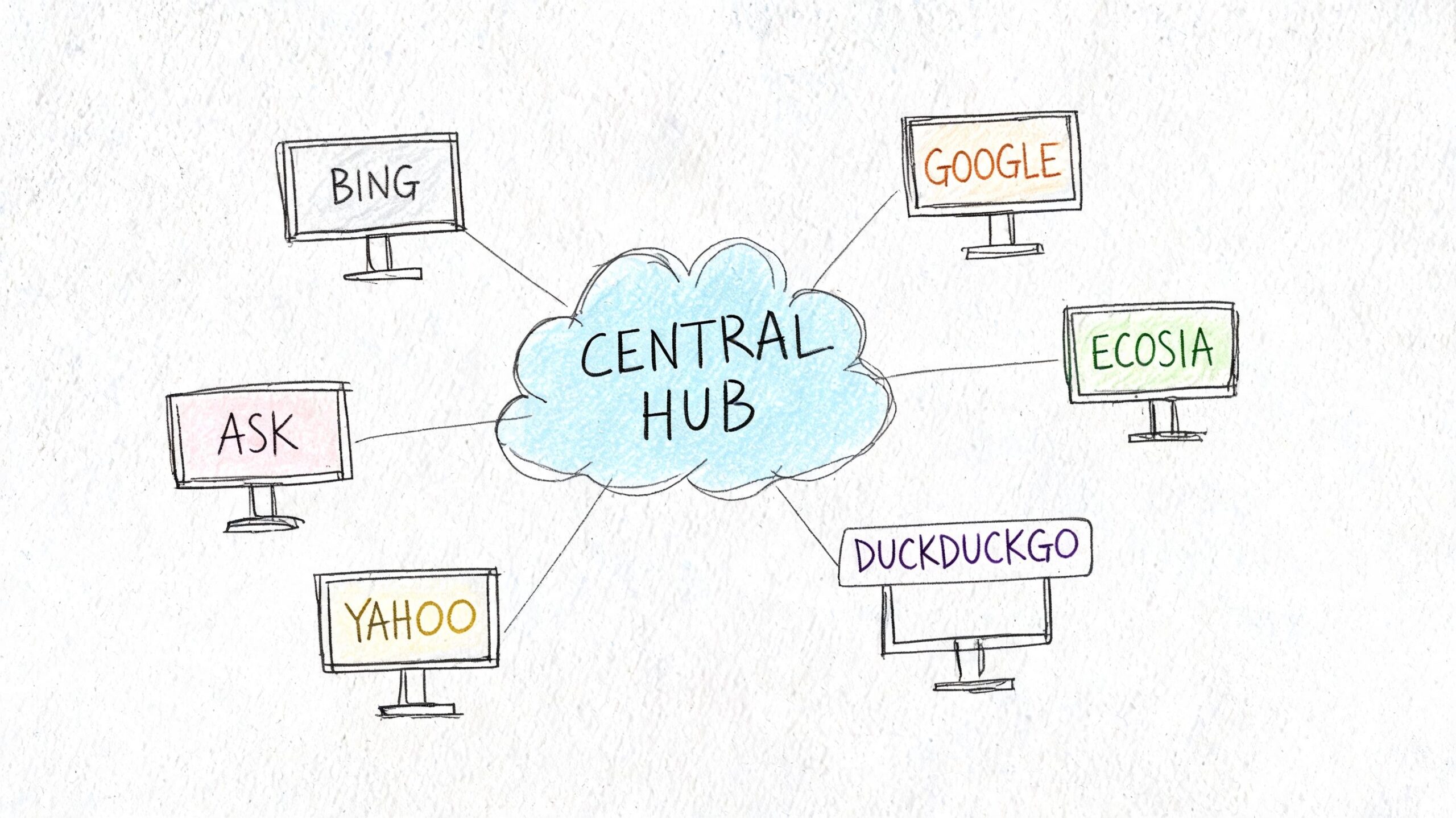
Third-party SERP APIs collect live or scheduled search results for queries, devices, and locations you choose, then return structured data your team can directly report on. The business value is not just access to rankings. It is the removal of operational work that sits behind reliable collection.
That matters because Google results are no longer a simple ranked list. A useful API needs to capture organic listings, paid placements, local packs, shopping results, featured snippets, video blocks, images, and other page features that change what "position" means in practice. If your report says you moved from position 3 to 5, the commercial impact depends on what filled the space above you.
For teams buying software, this is usually the clearest trade-off. You accept a vendor bill and a fixed schema. In return, you get speed, broader visibility, and less engineering overhead.
What to look for in a SERP API
The best vendors help answer business questions, not just collect rows of rank data. Evaluate them on points that change decisions:
- Geo precision. Can you request results at the country, city, or ZIP level if local intent matters?
- Device coverage. Mobile and desktop often produce different result pages and different click opportunities.
- SERP feature parsing. Rank alone is incomplete if ads, maps, or snippets are taking attention.
- Historical collection. Scheduled tracking matters more than one-off checks if you want to separate volatility from a real trend.
- Output format and limits. Clean JSON, consistent fields, and predictable rate limits reduce downstream reporting work.
- Vendor reliability. If the API fails during peak reporting periods, the low price stops looking cheap.
One more filter gets overlooked. Ask how quickly your team can turn the raw response into something a client, founder, or department head can understand. A technically rich API can still be a poor fit if every report requires manual cleanup.
Where third-party APIs outperform first-party data
Search Console is strong for owned-site performance over time. Third-party SERP APIs answer a different class of question.
Use them when the business needs to:
- Track competitors or marketplaces you do not control
- Verify rankings for a specific place, device, or search context
- Measure visibility across multiple domains
- See the actual SERP composition, not just an averaged metric
- Run alerting when a keyword changes sharply or a SERP feature appears
This is why agencies, multi-location businesses, and e-commerce teams often keep a third-party SERP source in the stack even when they already use GSC. The two systems answer different questions.
The practical trade-offs
Third-party APIs solve collection, but they introduce vendor dependency. Pricing usually scales with request volume, location depth, frequency, and feature coverage. A cheap plan can become expensive if you track thousands of keywords across many markets. The opposite is also true. Building internal reporting on top of a stable API is often far less expensive than assigning engineers to maintain fragile collection systems.
Accuracy also needs a realistic definition. No vendor can promise a single universal "true rank" for Google because results vary by device, location, personalization, and timing. Good providers reduce that uncertainty by letting you define the context clearly and collect consistently. That is what makes the data decision-ready.
This walkthrough gives a feel for how these tools are typically implemented:
The Risks and Realities of DIY Scraping
DIY scraping sounds appealing because it promises control. You pick the queries, define the parser, and avoid a monthly vendor bill. On paper, that can feel efficient.
In practice, most small and mid-sized businesses don't want a scraping project. They want ranking data.
Why teams underestimate scraping
The first version of a scraper is usually the easiest part. The hard part is keeping it alive. Search results change layout. Anti-bot defenses tighten. Parsers fail without warning. A field you relied on disappears and now your reports are wrong without obvious errors.
There's also a policy issue. Scraping public results directly sits in a riskier position than using a vendor designed for this job. Even if a team is technically capable, many businesses don't want legal and operational ambiguity attached to a reporting system.
A few hidden costs show up fast:
- Infrastructure overhead grows as you add requests, locations, and retries.
- Maintenance work never really stops because SERPs keep changing.
- Debugging time often lands on your most expensive technical people.
- Trust in the data drops when the system breaks in subtle ways.
When DIY might make sense
There are cases where building in-house is defensible. Large companies with specialized engineering support, unusual compliance requirements, or proprietary workflows may decide control is worth the effort.
For everyone else, DIY usually solves the wrong problem. It optimizes for avoiding vendor spend while creating a fragile internal product. If rank tracking isn't part of your core business model, that's usually a poor trade.
Practical Code Examples for API Calls
The mechanics of using a SERP API are much simpler than the category makes them seem. Once you've chosen a provider, the workflow is usually just: define the keyword, pass location or device parameters if needed, send the request, and parse the response.
You don't need a large software team to make that useful. A developer can wire this into a dashboard quickly, and a technical marketer can usually understand the logic from a short example.
Python example
import requests

API_KEY = "YOUR_API_KEY"
ENDPOINT = "https://api.example.com/google/rank-tracking"

params = {
    "keyword": "best running shoes",
    "location": "United States",
    "device": "desktop",
    "api_key": API_KEY
}

response = requests.get(ENDPOINT, params=params)
data = response.json()

# Example logic:
# Assume the API returns a list of organic results
organic_results = data.get("organic_results", [])

for result in organic_results:
    print(result.get("position"), result.get("domain"))
This example shows the pattern, not a provider-specific schema. In a real implementation, your developer would map the response fields from the vendor you choose.
JavaScript example
const endpoint = "https://api.example.com/google/rank-tracking";
const params = new URLSearchParams({
  keyword: "best running shoes",
  location: "United States",
  device: "mobile",
  api_key: "YOUR_API_KEY"
});

fetch(`${endpoint}?${params.toString()}`)
  .then(response => response.json())
  .then(data => {
    const organicResults = data.organic_results || [];
    organicResults.forEach(result => {
      console.log(result.position, result.domain);
    });
  })
  .catch(error => console.error(error));
A practical implementation usually adds three things beyond this starter code:
- Error handling for failed requests or rate limits
- Normalization so data from multiple runs follows one schema
- Storage so you can analyze changes over time instead of printing output once
The hard part isn't the API call. It's deciding what you'll store, how often you'll check, and which movements should trigger action.
Best Practices for Managing API Data
Rank tracking gets expensive when every question triggers a fresh API call. It also gets unreliable fast if historical snapshots are missing, labels change over time, or your team mixes different data sources into one metric.
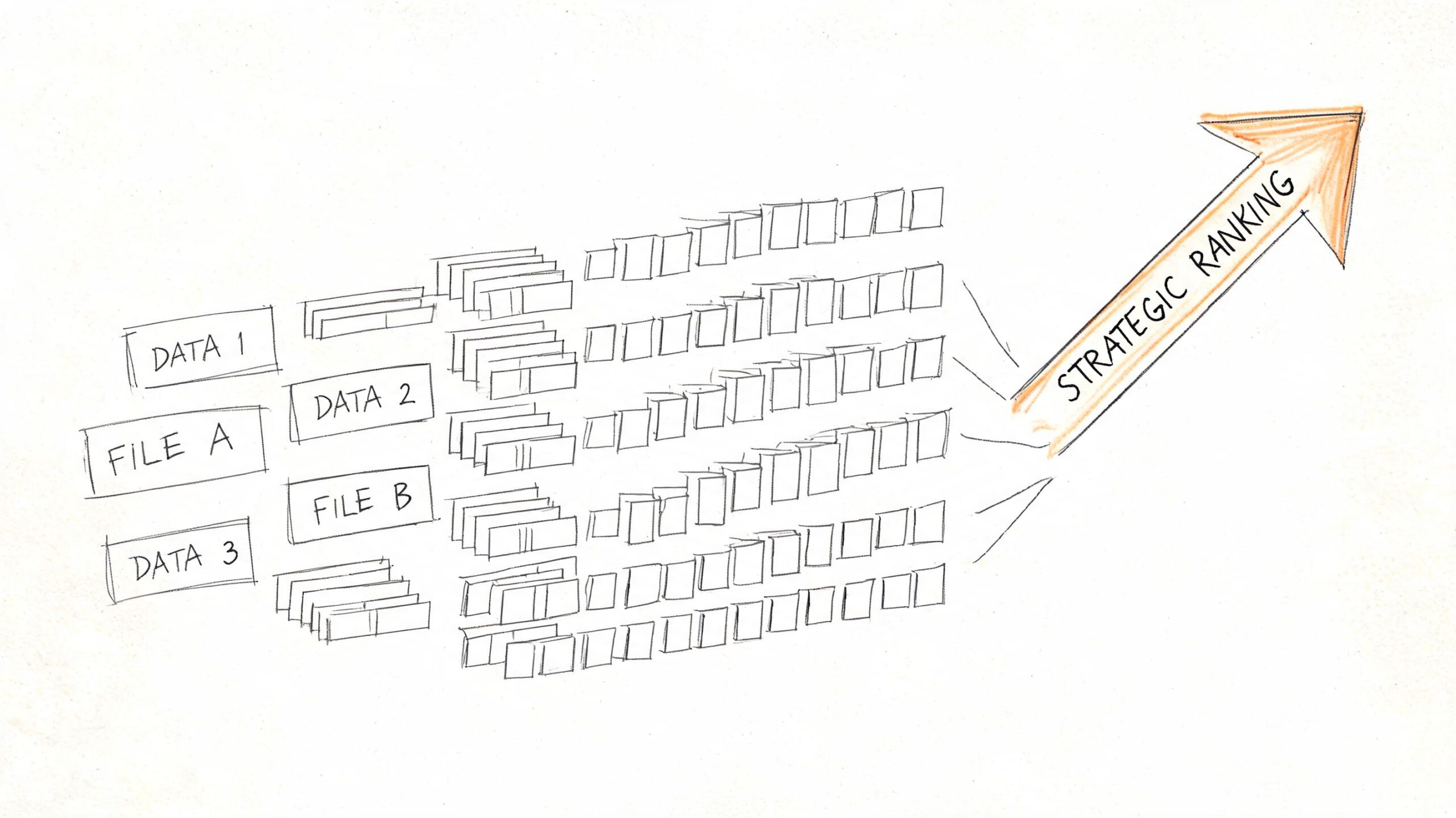
The practical fix is to treat rank data like reporting data, not like a live lookup tool. Pull on a schedule, store the result, and build reports from your own database or warehouse. That cuts repeat API costs, makes trend analysis possible, and gives you an audit trail when someone asks why a ranking changed last month.
A simple table structure is enough to start:
| Field | Purpose |
|---|---|
| keyword | The query you're tracking |
| checked_at | When the snapshot was collected |
| search_engine | Usually Google, but keep it explicit |
| location | Country or local market |
| device | Desktop or mobile |
| domain | The site being tracked |
| rank | Observed position in that snapshot |
| url | Landing page shown in results |
| result_type | Organic result, ad, or rich-result context |
That schema covers the business questions that come up in reporting. Which keyword moved. In which market. On which device. And whether Google swapped in a different URL.
A few operating rules prevent messy data later:
- Use a fixed pull schedule so week-over-week comparisons mean the same thing.
- Normalize country, device, and domain naming early so reports do not split the same entity into multiple labels.
- Store raw responses before transformation so your team can debug parser issues or vendor schema changes.
- Version your logic if you change ranking rules, result classification, or matching methods.
- Separate collection from reporting so dashboard traffic does not trigger more API calls.
The trade-off is storage and pipeline work. That cost is usually lower than repeated API requests, manual cleanup, and bad reporting decisions based on inconsistent snapshots.
How to reconcile GSC with live rank data
Search Console data and live SERP data answer different questions. Teams get into trouble when they force both into a single "position" field and expect them to line up.
Use Search Console for owned-site performance over time. Use SERP APIs for point-in-time visibility into a specific query, location, and device. One is impression-based reporting from Google for verified properties. The other is an external observation of the results page in a defined context.
Keep them separate in your model and in your dashboards:
- GSC position for search performance reporting on sites you own
- Live rank for monitored snapshots, competitor checks, and localized tracking
- Timestamp, location, and device attached to every live observation
- Clear source labels so executives do not compare unlike metrics
That single reporting discipline prevents a lot of false alarms.
One more rule matters if you track multiple APIs over time. Do not assume field names mean the same thing across vendors. One provider's "position" may exclude ads and SERP features. Another may count them. Some return the first organic result position separately from the absolute rank on the page. Map those definitions once, document them, and keep the logic consistent. That is what turns technical API output into reporting a business owner can trust.
A Decision Framework for Choosing Your API
The right choice usually becomes obvious when you stop asking “which API is best” and start asking “what question am I trying to answer.”
Start with the business question
Ask these in order:
Do you only need performance data for a site you own?
Start with Search Console API.Do you need to monitor competitors or public search results for any domain?
Use a third-party SERP API.Do you need city-level, device-specific, or highly localized snapshots?
Lean toward a third-party provider built for that workflow.Do you have engineers available to maintain a scraping system over time, and are you comfortable with the associated risk?
Only then should DIY scraping enter the conversation.
The simplest recommendation for most teams
For most SMEs, agencies, local businesses, and in-house marketers, the best setup is a hybrid:
- Use GSC for owned-site performance reporting
- Use a third-party SERP API for competitor and live snapshot tracking
- Avoid DIY scraping unless rank collection itself is a strategic capability for your company
That combination gives you both sides of the picture. You get first-party evidence of how your site is performing and external visibility into what the search results look like.
Frequently Asked Questions
Is there an official Google API for live keyword rankings
No. Google doesn't provide a public API for live SERP rank checking in the way modern SEO tools do. If someone points you to Google's own APIs for this, they're usually referring to Search Console for owned-site analytics or to other Google products that don't mirror standard google.com organic rankings.
Are third-party rank tracking APIs accurate
They can be very useful, but accuracy depends on setup. Rankings vary by location, device, language, time, and SERP features. A good API lets you define those parameters clearly. The more specific your request context, the more useful the result.
The wrong question is “is it perfectly accurate.” The right question is “is it consistently measuring the search context I care about.”
Can I track competitors with Google Search Console
No. Search Console works for properties you can verify and access. It's a first-party analytics source, not a public competitive intelligence tool.
If competitive tracking matters, you need a third-party SERP API or a software platform built on that kind of data collection.
How should I think about API cost
Think in total system cost, not subscription cost alone. A paid SERP API may look more expensive than doing it yourself, but a DIY setup can consume technical time, maintenance effort, and reporting trust very quickly.
For most businesses, cost should be evaluated against three things:
- How many keywords and markets you need to monitor
- How much internal time setup and maintenance will consume
- How costly bad or inconsistent data would be for decision-making
How do location and device affect rankings
They affect rankings a lot. A local service business can look strong on mobile in one area and much weaker on desktop or in a nearby city. That's why one generic national rank often tells an incomplete story.
When choosing an API, make sure it supports the parameters your business needs. For many local and service businesses, this matters more than fancy dashboard features.
If you report rankings internally, keep these distinctions visible:
- Separate desktop from mobile
- Separate brand from non-brand terms
- Separate core markets from secondary markets
- Separate live snapshots from aggregated performance data
Those reporting cuts usually matter more than adding more tracked keywords.
If you want practical SEO guidance without hiring an agency, Agency Secrets is worth a look. It helps business owners turn data like keyword rankings into action through clear playbooks on keyword research, content production, backlinks, and sustainable organic growth.
Leave a Reply